
HTECH Solutions
Eleven products · custom engineeringOne system your whole operation runs on.
Finance, people, procurement, stock, facilities and transport on one database — not nine systems that email each other. Plus what does not exist off the shelf. You own the result.
What we build
Our team has worked with
Our team’s work spans sectors and scale — from universities and diagnostics networks to national telecoms and transport, where software has to hold from the first day.
- Education
- Pharmaceuticals
- Banking
- Insurance
- Telecommunications
- Real estate
- Not-for-profit
- AmtrakAmerica’s largest passenger railroad
- American Red CrossA nonprofit humanitarian organisation
- T-MobileA major mobile network operator
- Lumos FiberA fibre internet services provider
- LabcorpOne of the largest healthcare diagnostics networks
- American University of Virginia StateA higher-education institution
Products you can buy, and engineering you can hire
Eleven systems, each sold and deployed on its own. Where no product fits, we build the thing that does.
Business operations
Finance, people, procurement and the work itself — double-entry accounting, payroll, purchase-to-pay and service management.
Facilities and logistics
Stock, buildings, fleet, dining, and who is on site — multi-warehouse control, planned maintenance, routes and gate access.
Education
The HTECH University Management System: admissions through graduation on one record, with finance and campus services built in.
Growth
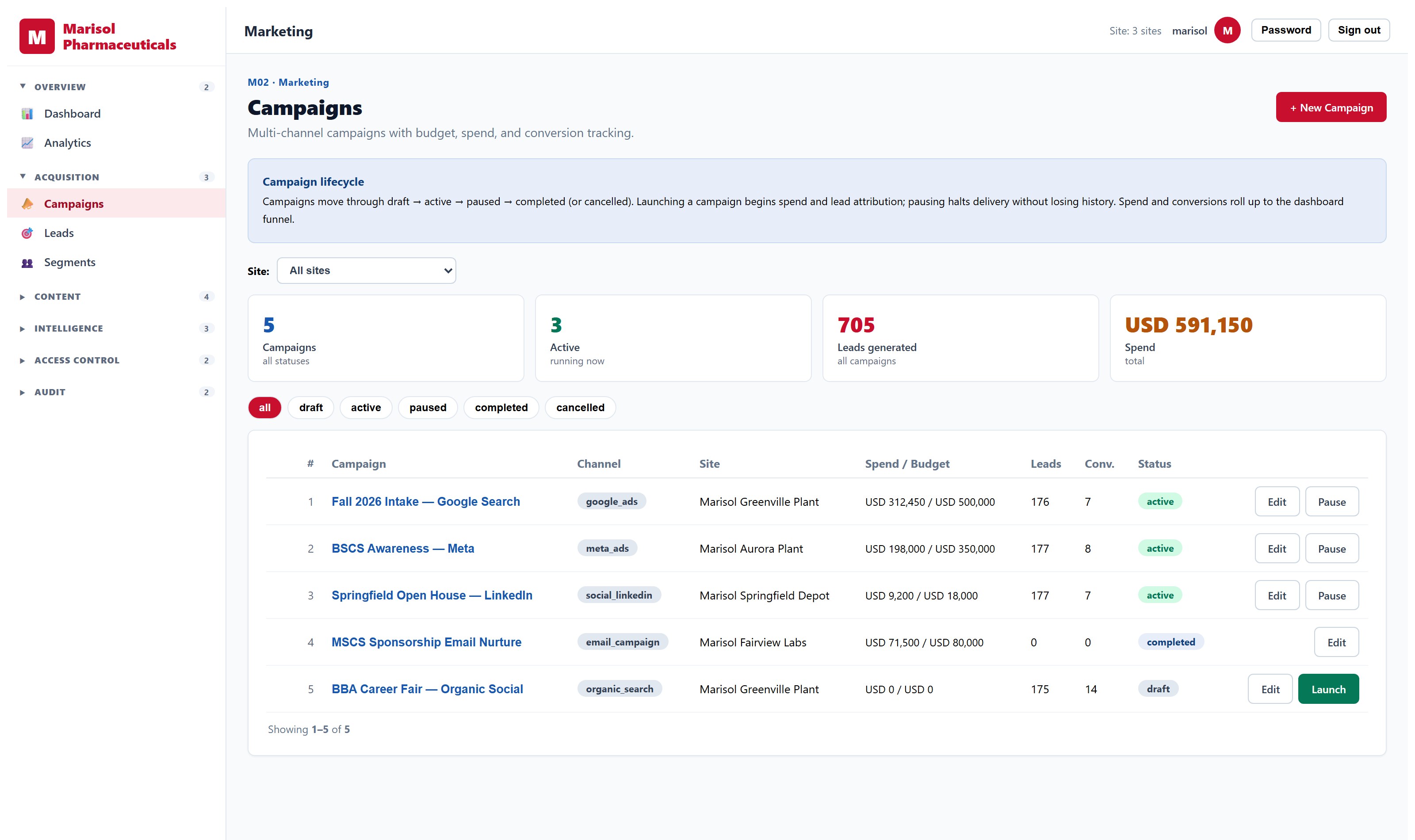
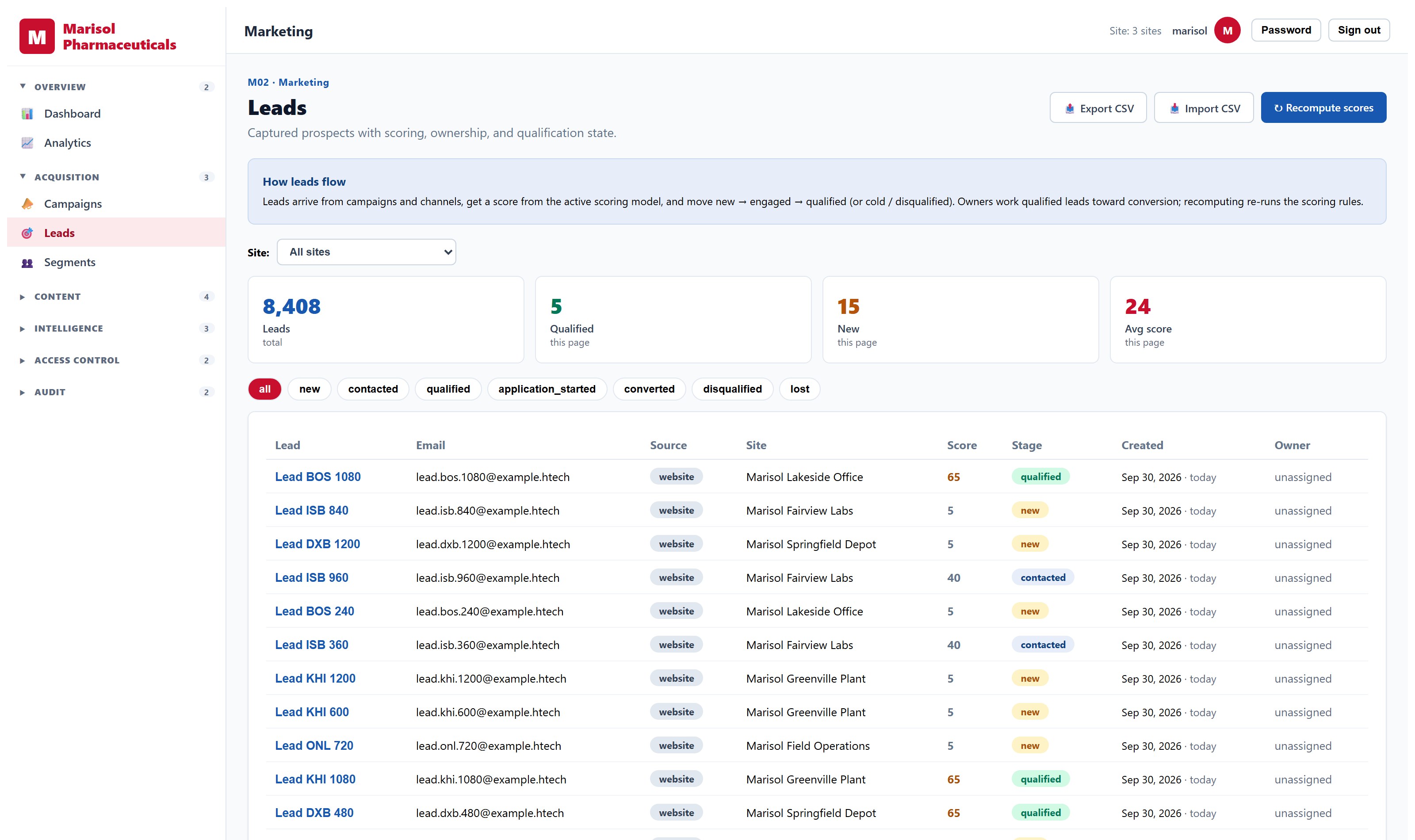
Campaigns across email and social with lead capture, scoring and attribution — so the question of what worked has an answer.
Custom development
The process that makes you different is the one nobody sells software for. We build it around how the work is actually done.
Automation and integration
Take the manual steps out from between systems that were never designed to talk, and keep the approval points where judgement belongs.
Our largest product: HTECH University Management System
A complete platform for running a university: admissions through graduation on one student record, with finance, HR, procurement and campus services on the same data, across every campus. 33 integrated modules, built with people who had run universities from the inside.
It is the biggest thing we have built, and one of our products rather than the whole company. It has its own site: htech-ums.com.
What each product actually does
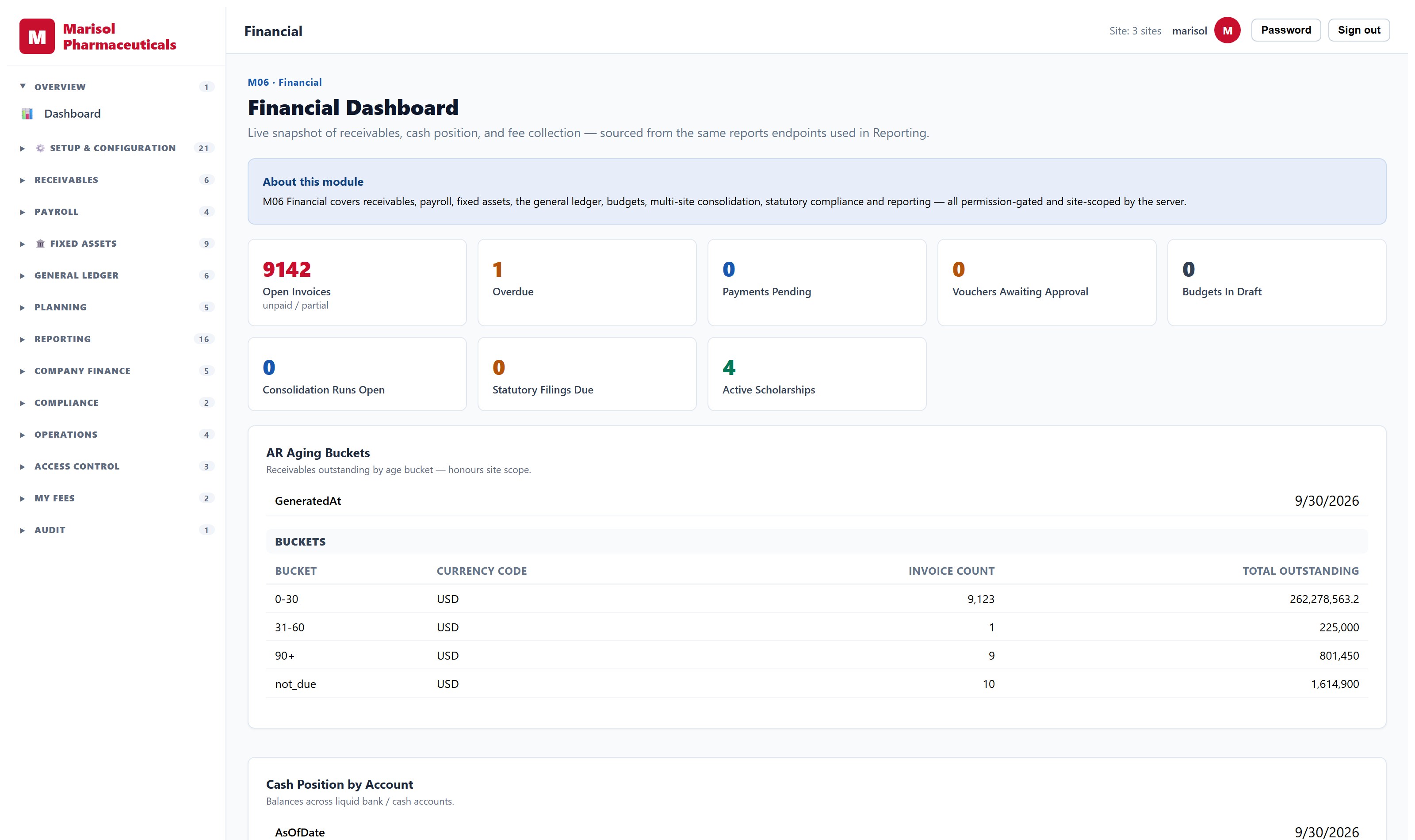
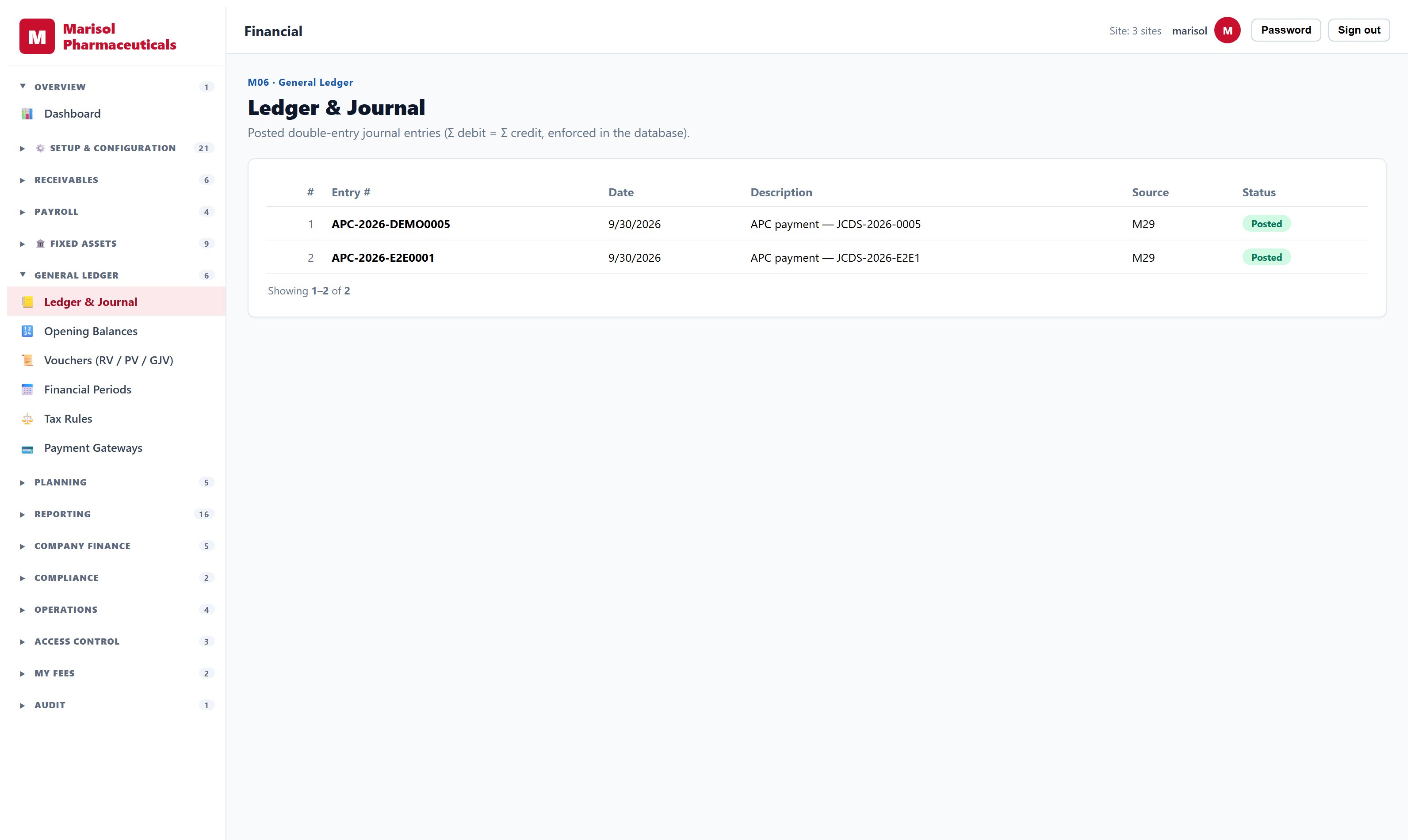
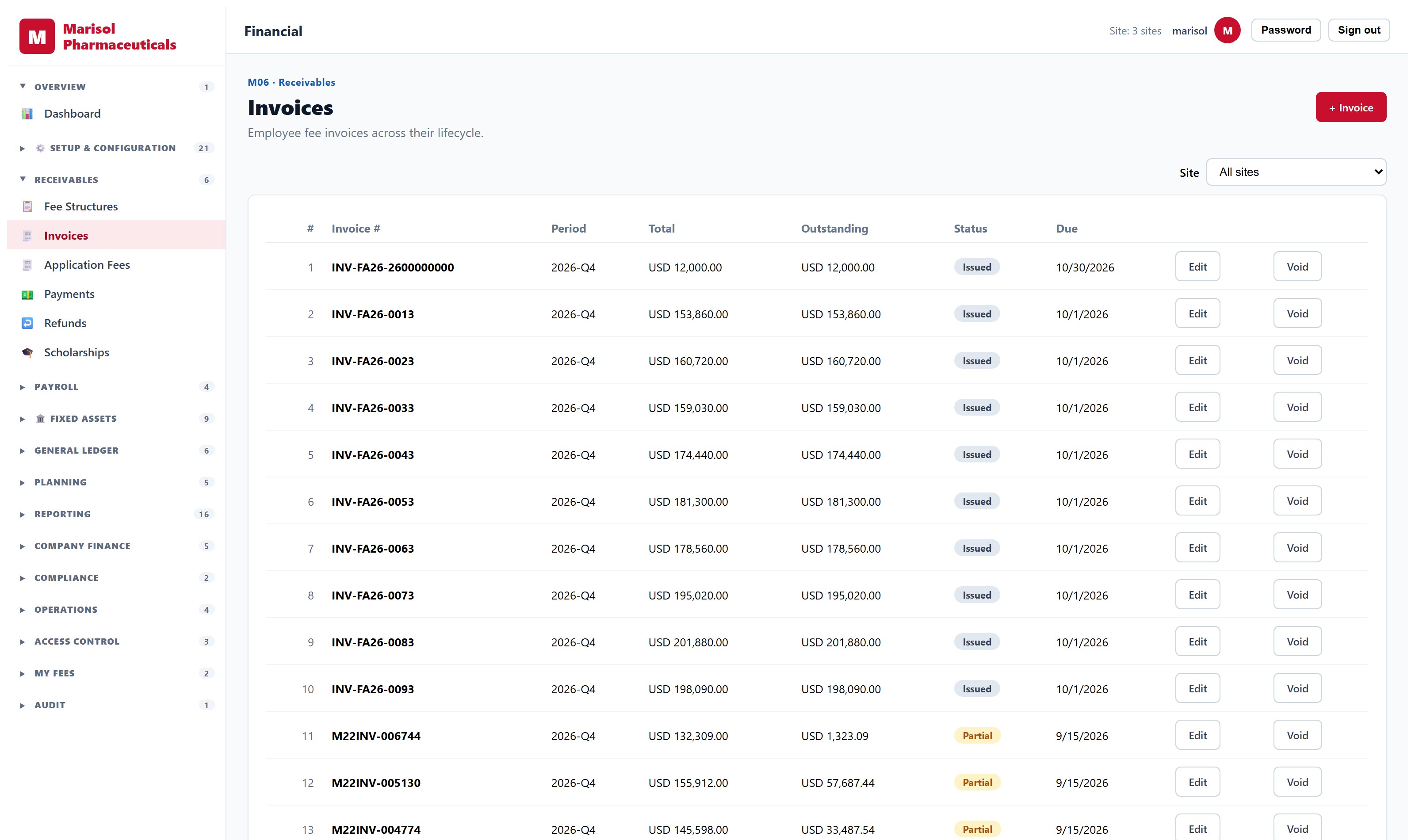
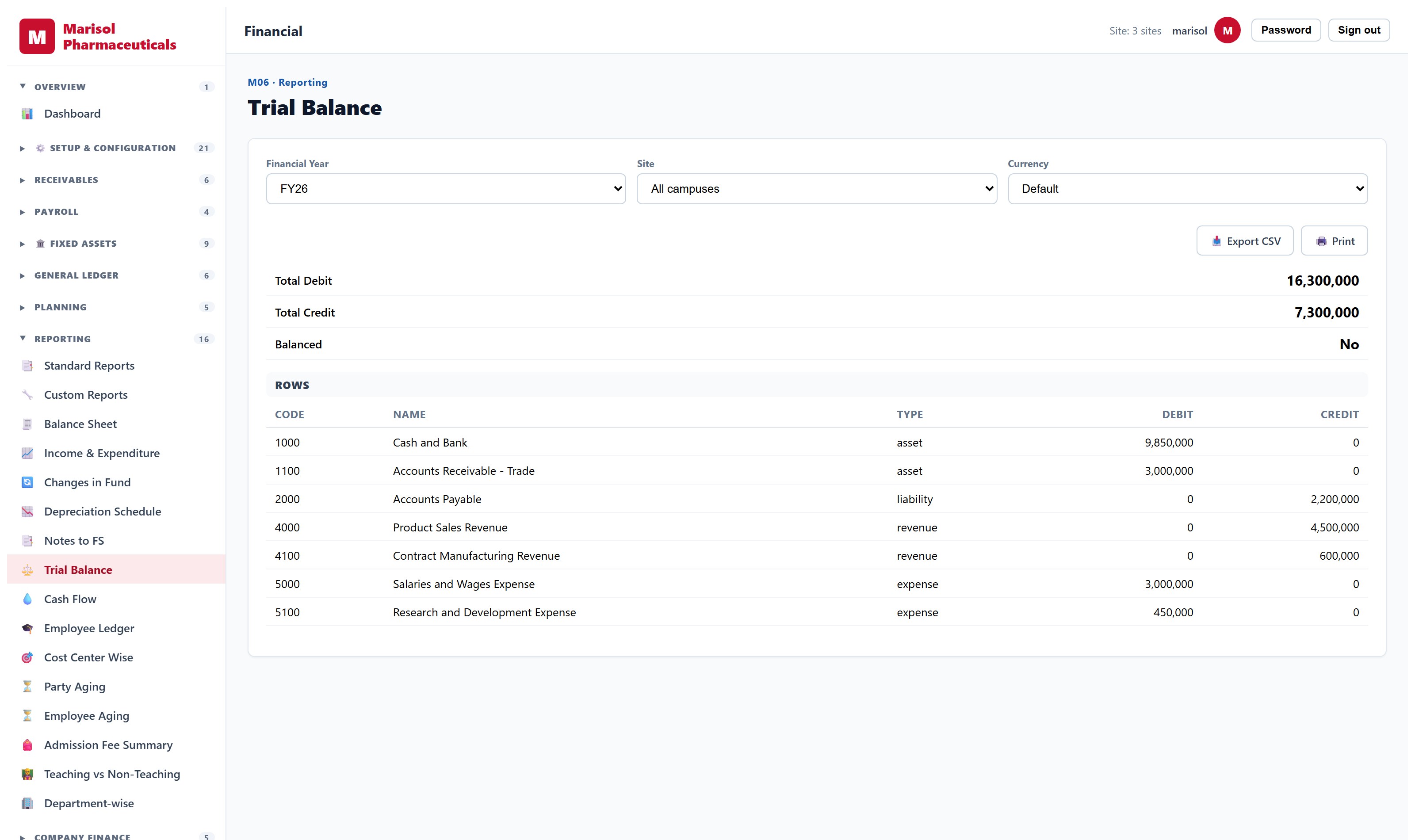
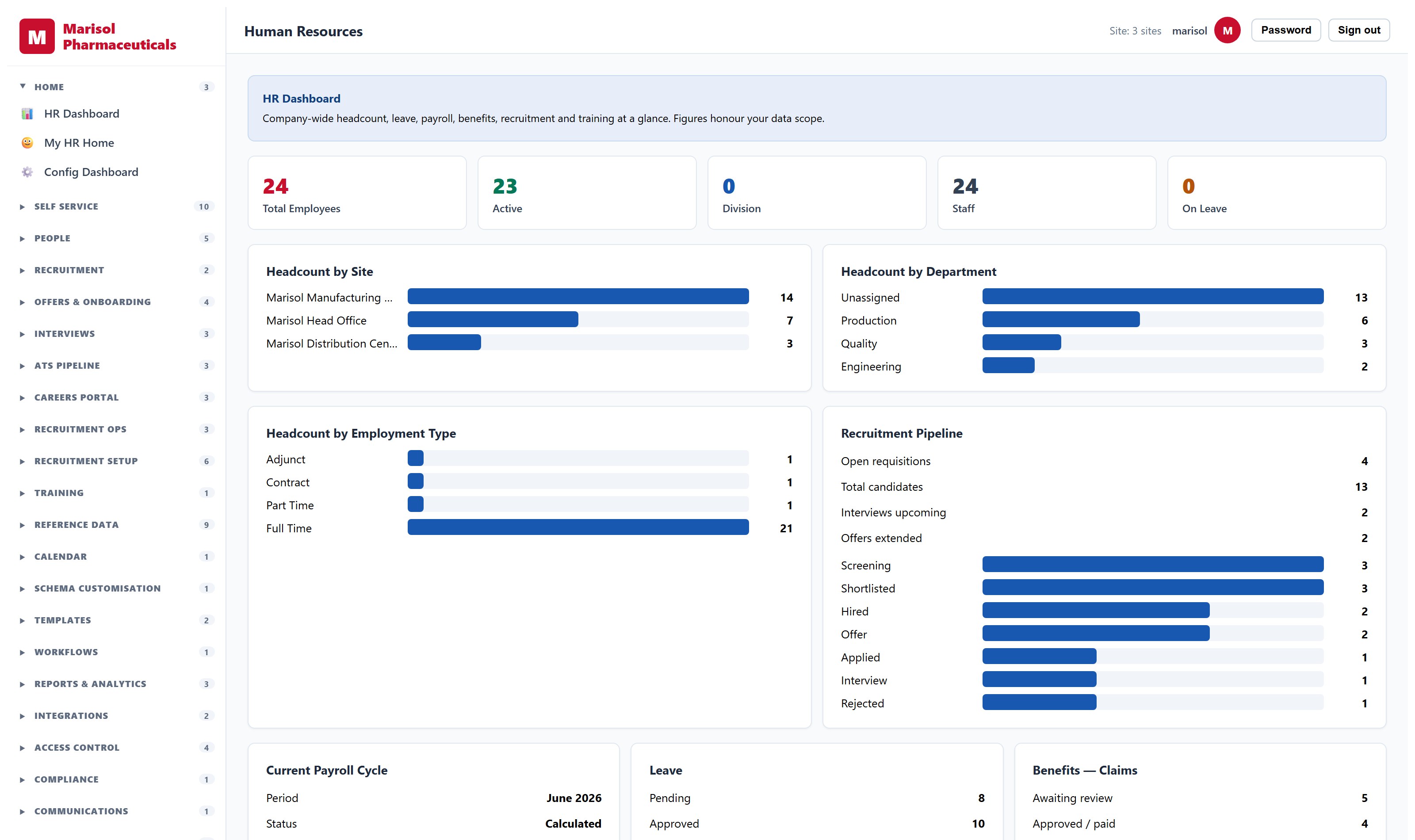
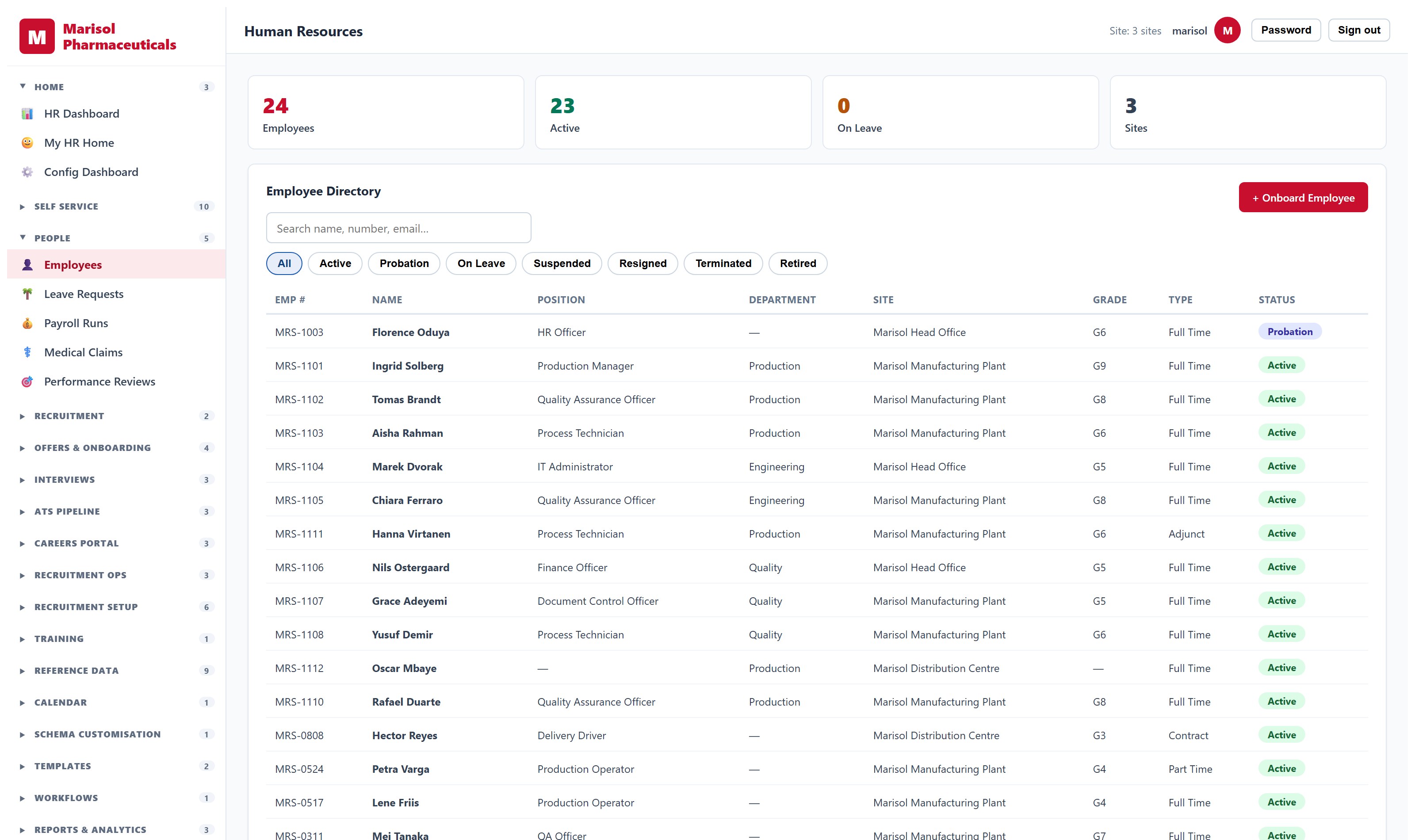
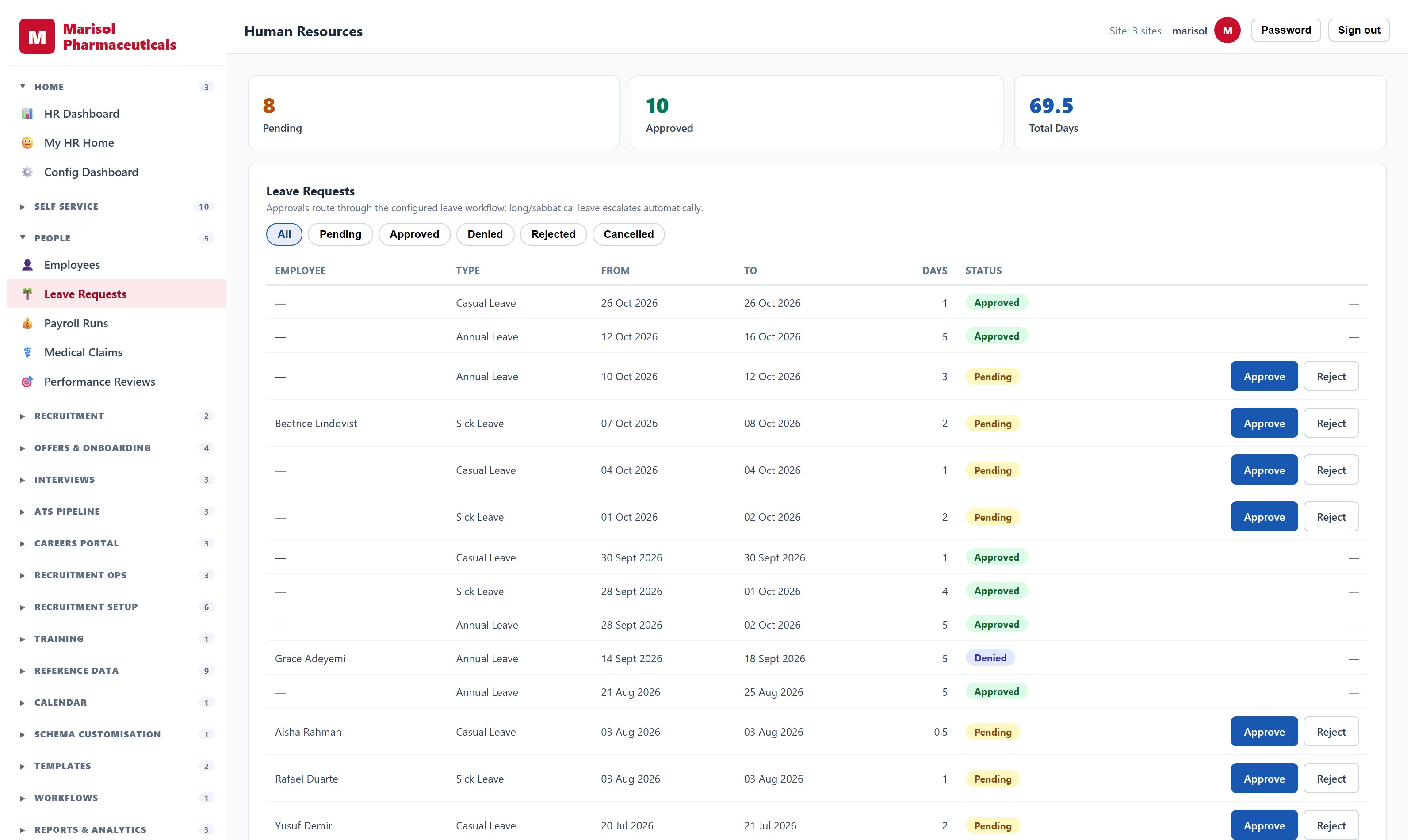
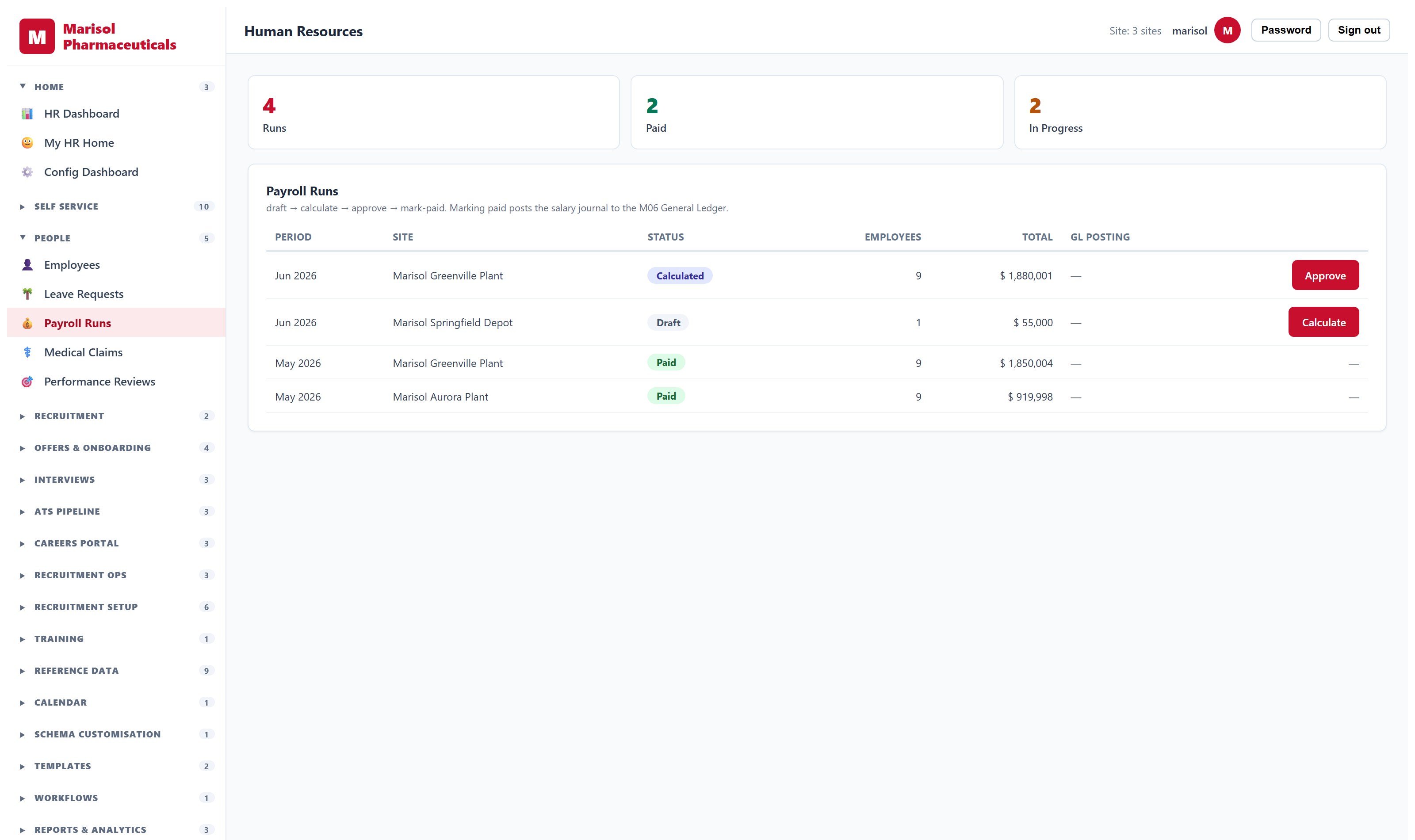
Every capability below is a shipped feature, and every screenshot is the real software. Each product is sold on its own, and they share one database when you buy more than one.
Financial Management System
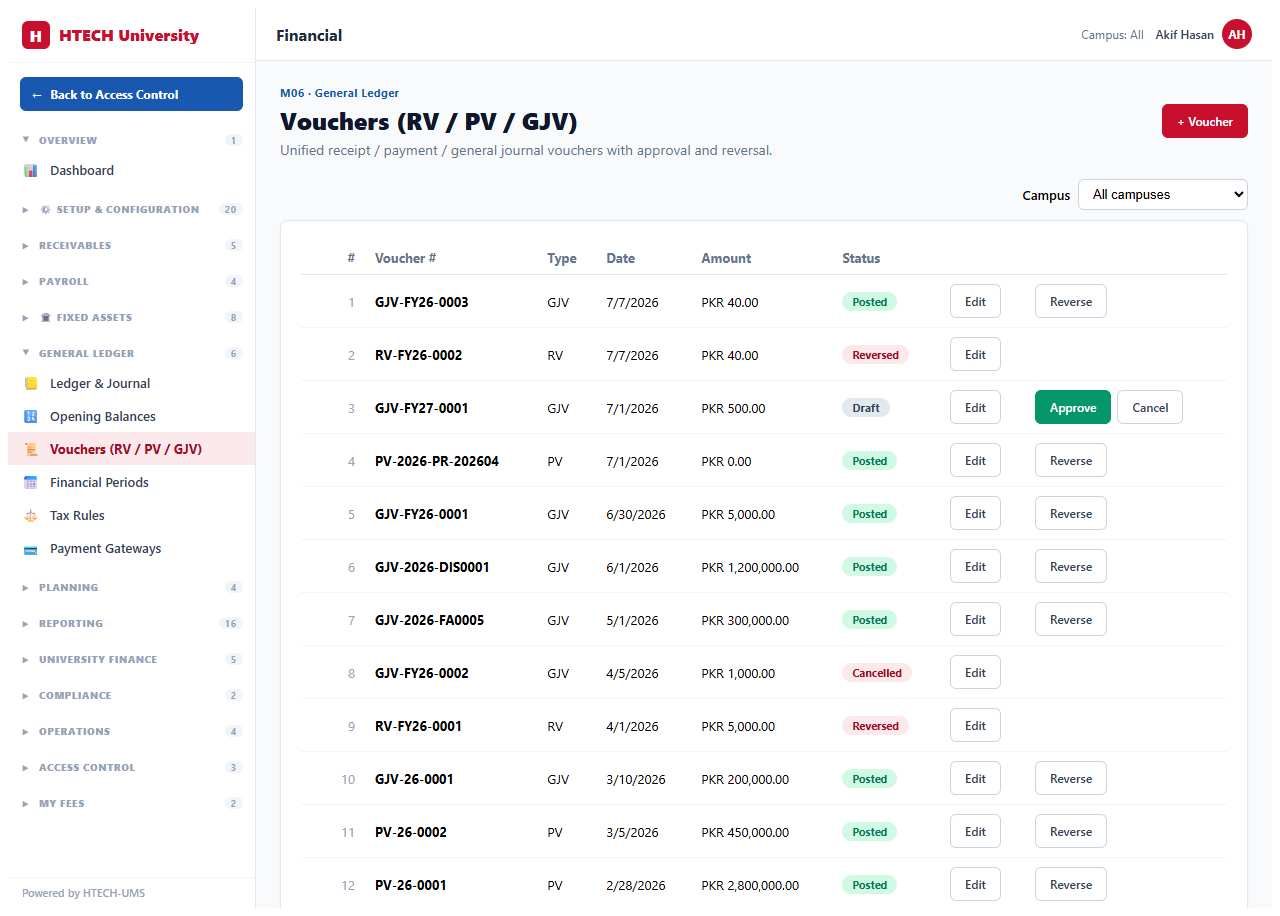
A real double-entry finance system, not a billing ledger.
- General ledger with chart of accounts, journals, voucher types and period close
- Billing, payments across cash, cheque, card, bank and mobile wallet, with reconciliation
- Payroll: pay runs, allowances and deductions, payslips, leave integration
- Fixed assets from purchase through depreciation to disposal, posting automatically to the ledger
- Budgeting with allocation, cycles and approval workflows
- Balance sheet, income and expenditure, trial balance, cash flow, ageing and cost-centre reports
- Multi-entity consolidation with intercompany elimination and currency translation
- Tax configuration, withholding, full audit trail
Human Resource Management System
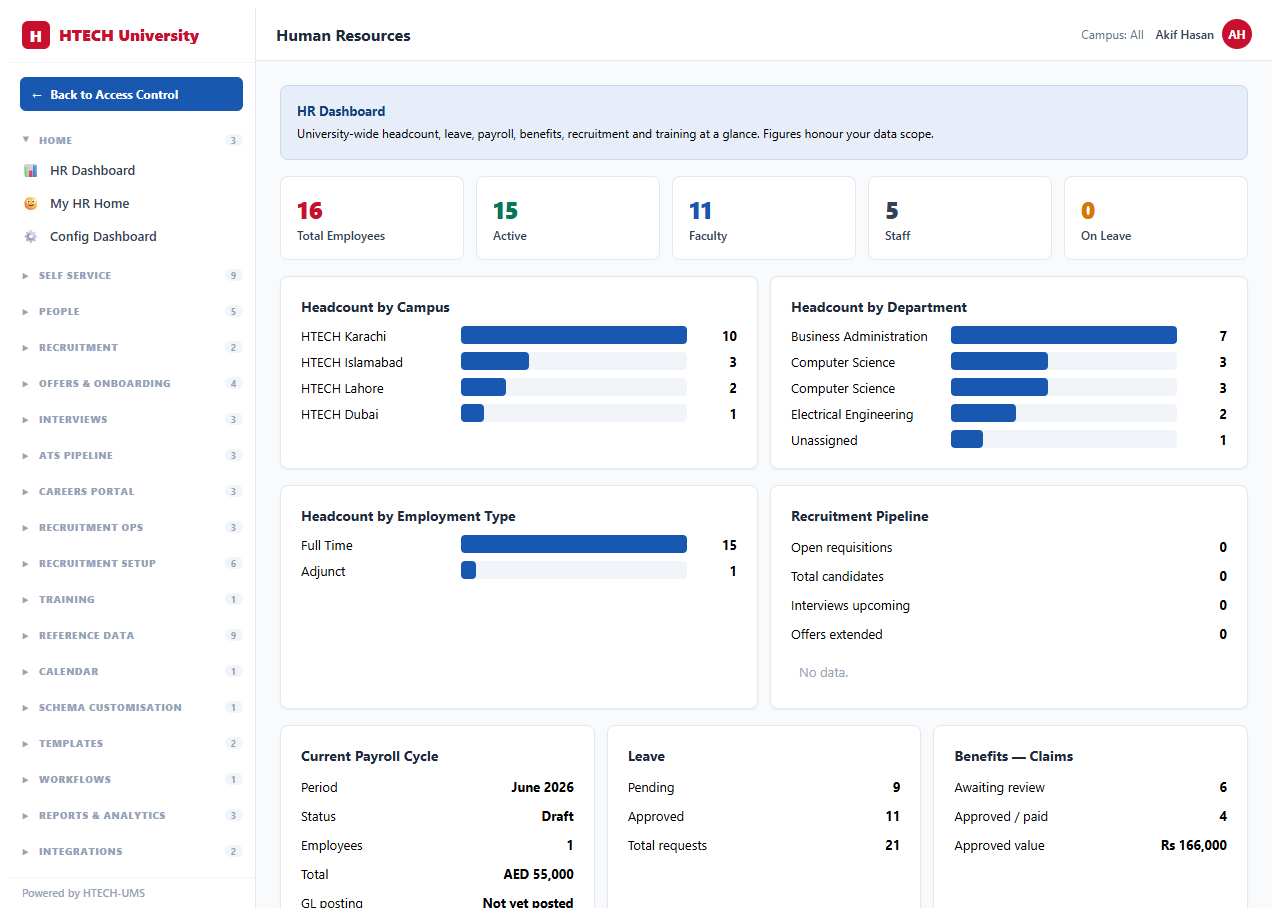
Hire, pay and develop people in one system.
- Applicant tracking from requisition to offer, with scorecards and interview scheduling
- Employee records: contracts, education, certifications, designations and grade bands
- Leave types, balances and multi-step approval chains
- Payroll runs with pay components, deductions and payslips
- Performance cycles, competencies and development plans
- Employee self-service for payslips, leave and personal details
- Onboarding and preboarding workflows
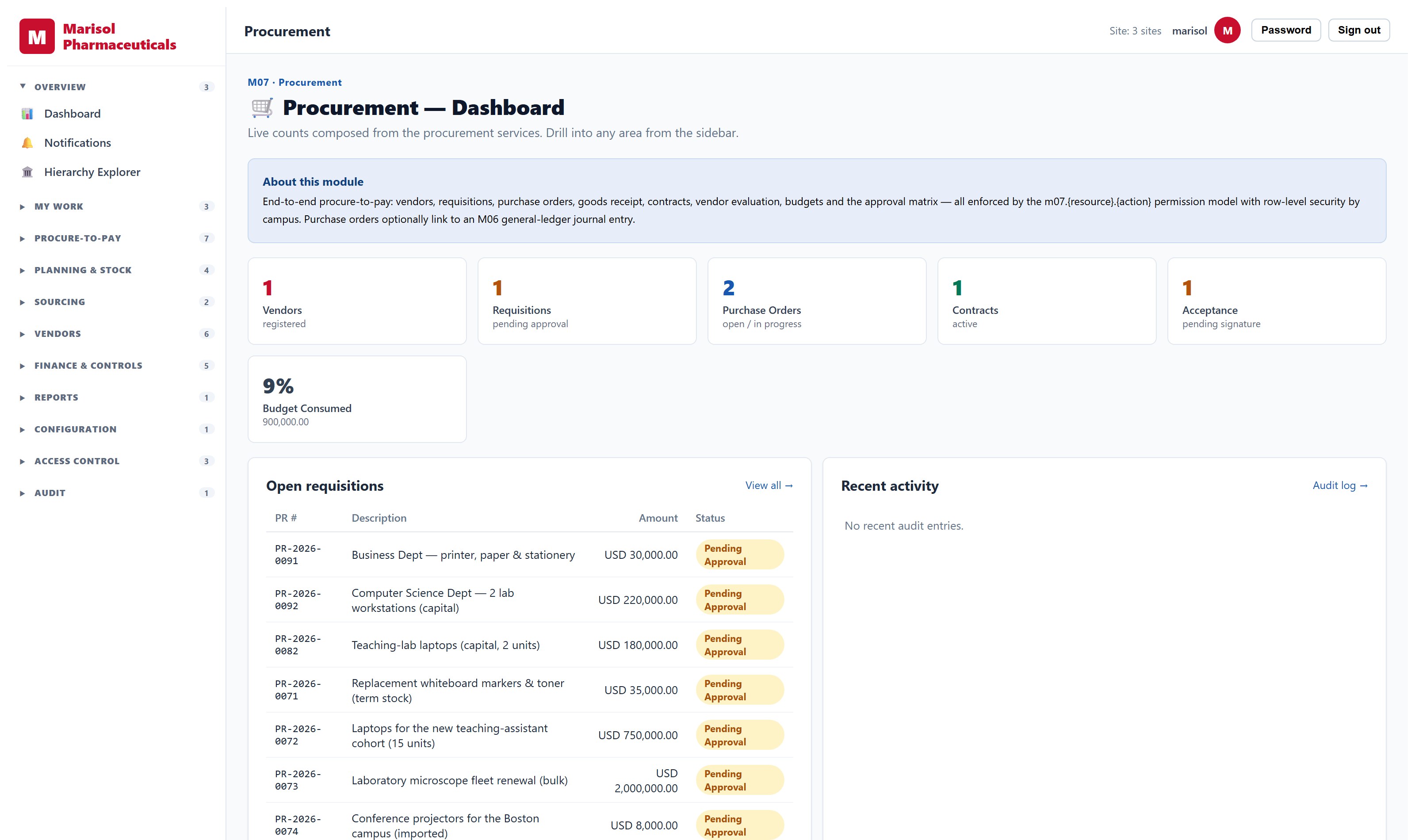
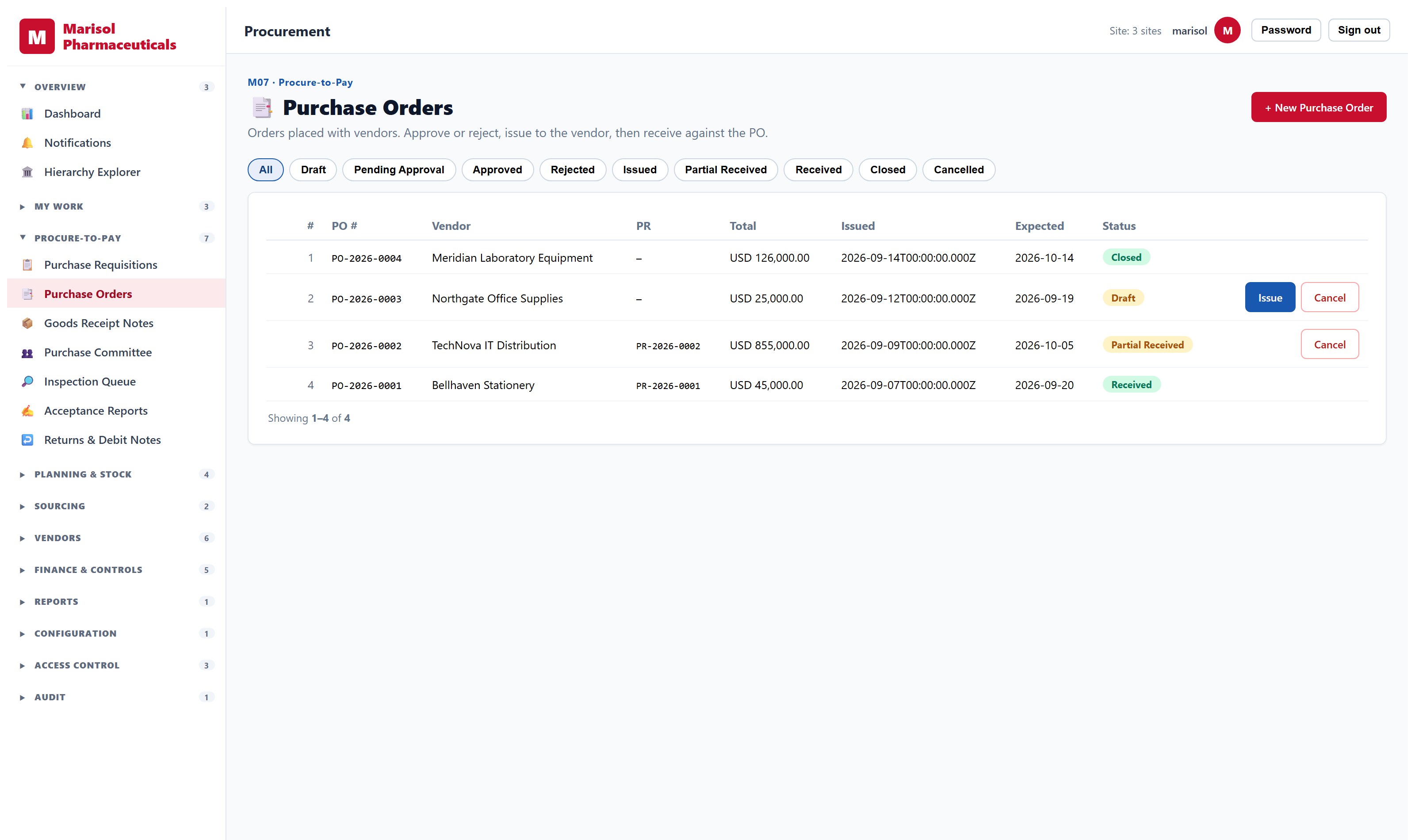
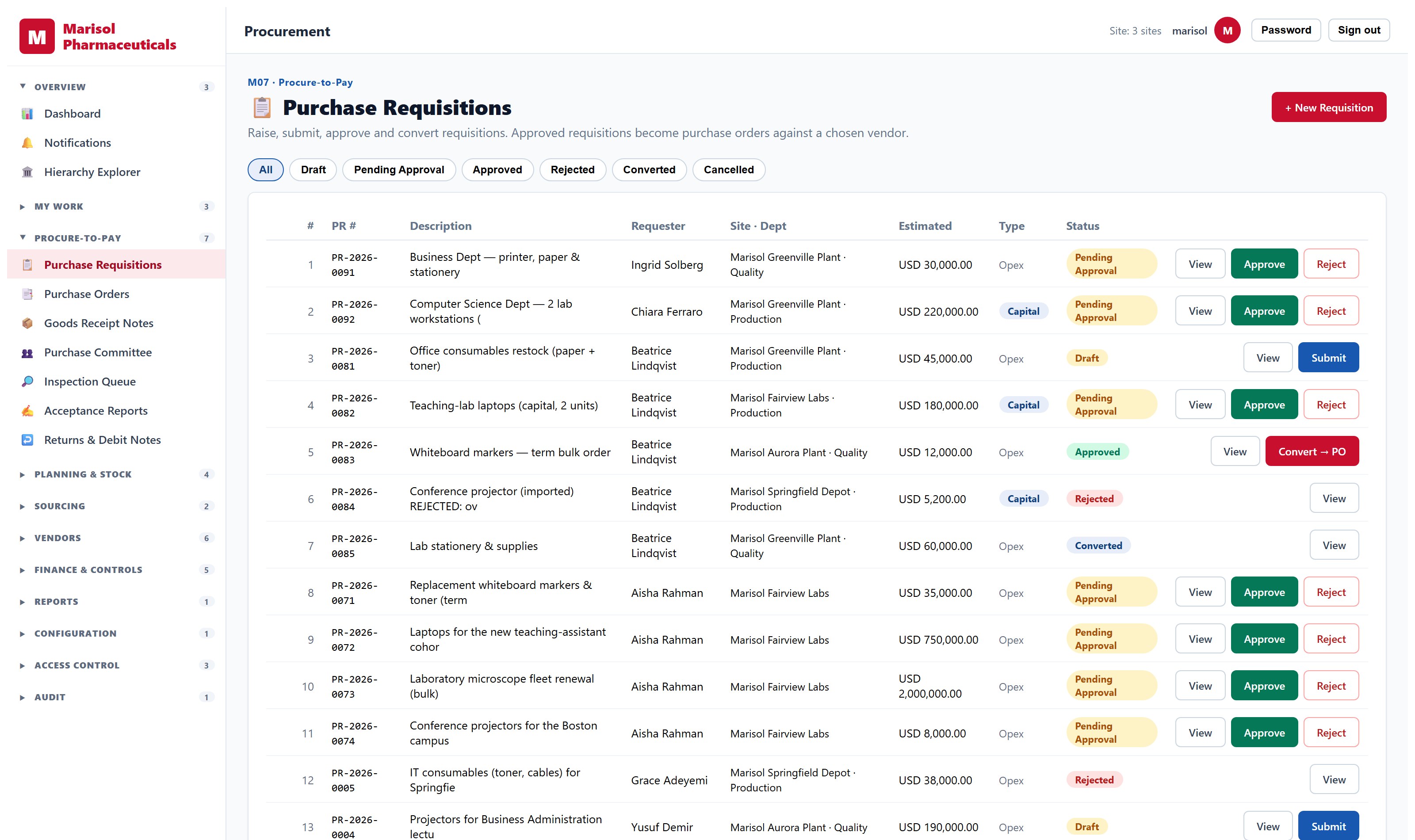
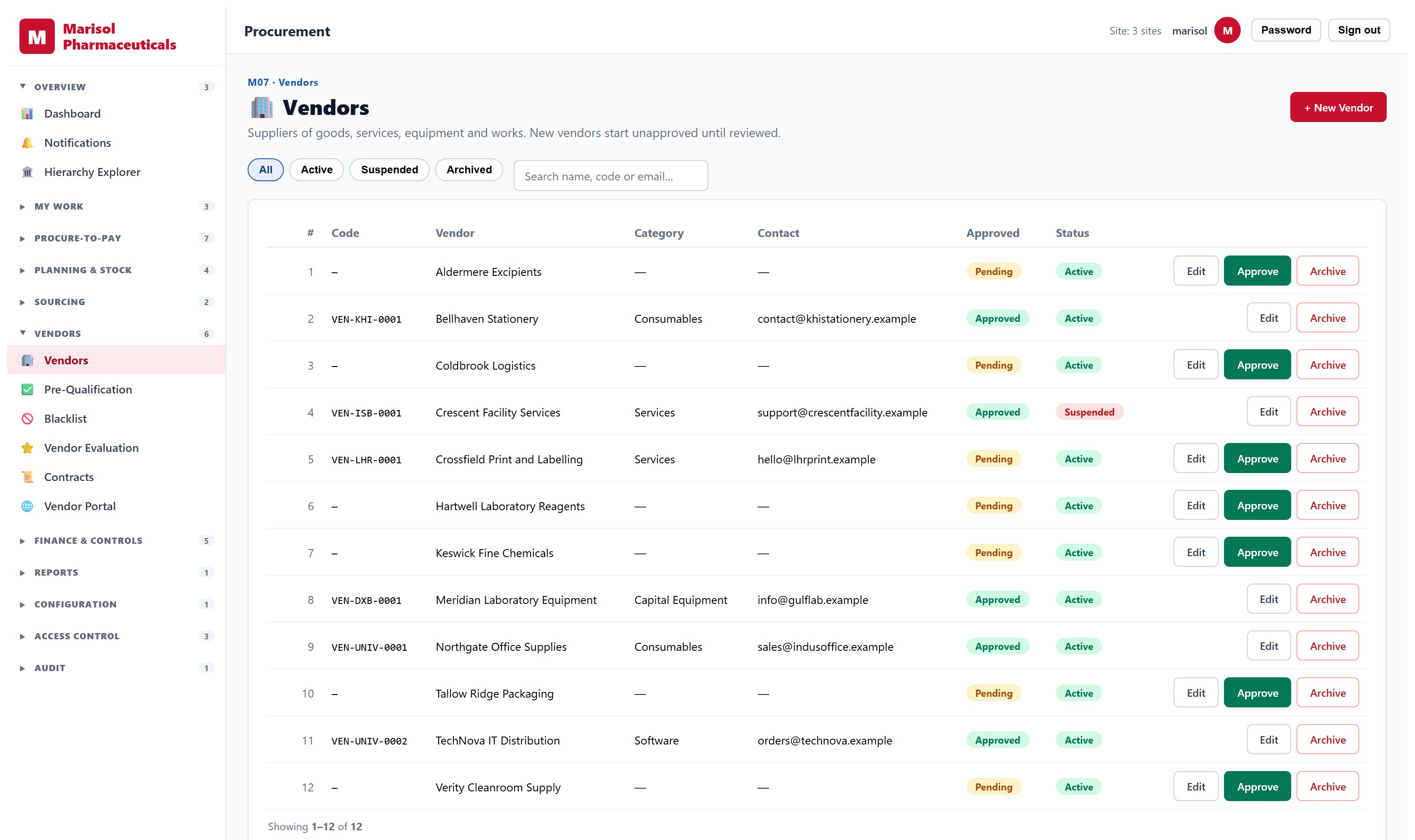
Procurement Management System
Requisition to payment, with real sourcing.
- Requisition workflow from creation through routing to purchase order, with an approval inbox
- Approval matrix by spend category and threshold
- Vendor master with pre-qualification, contracts, blacklisting and a self-service vendor portal
- RFQ with bid comparison, and formal tenders with committee scorecards
- Goods receipt, inspection, quality acceptance, returns and debit notes
- Annual procurement planning with budget allocation and variance
- Payment vouchers with tax withholding; assets created automatically on receipt
- Spend analysis by vendor, category and department
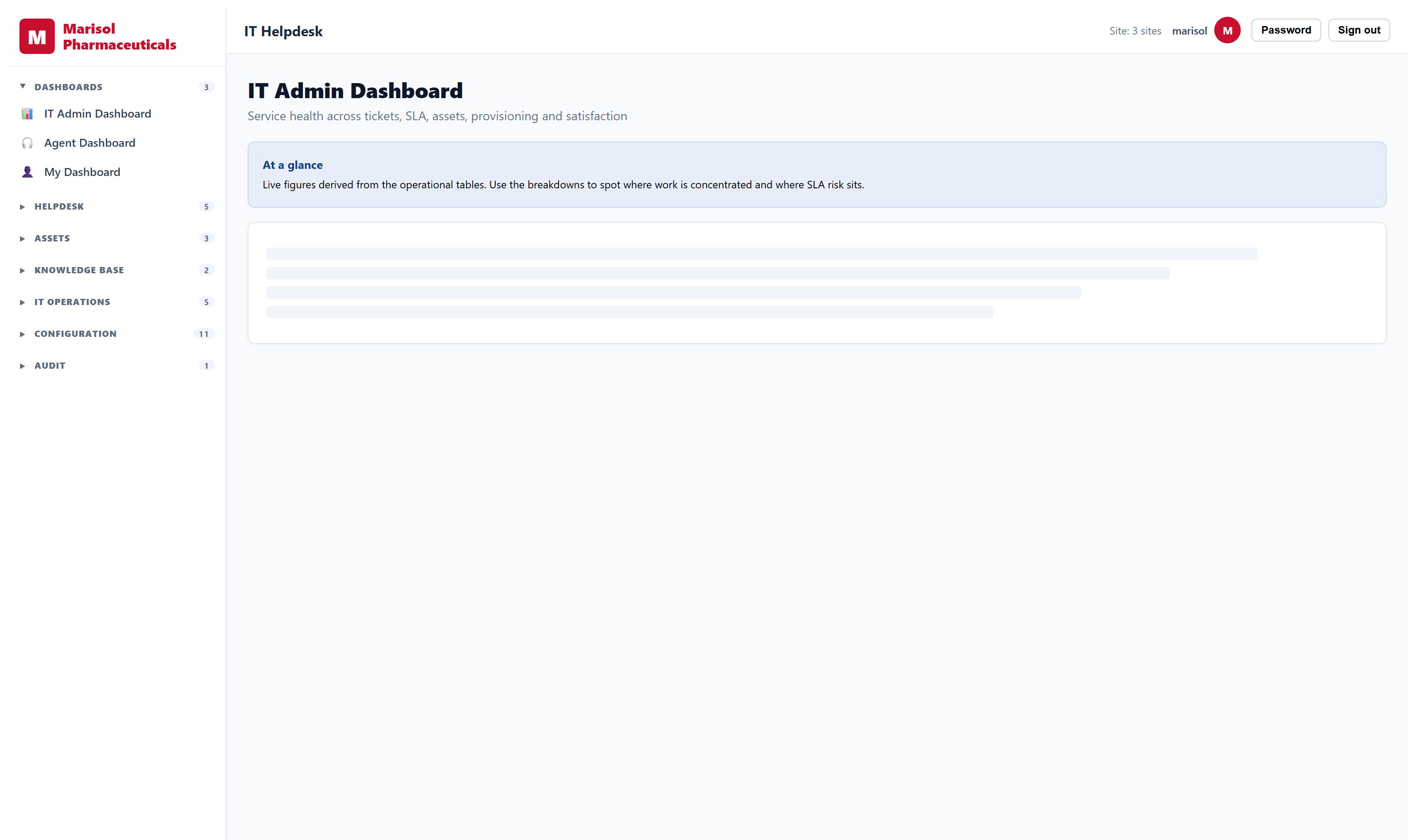
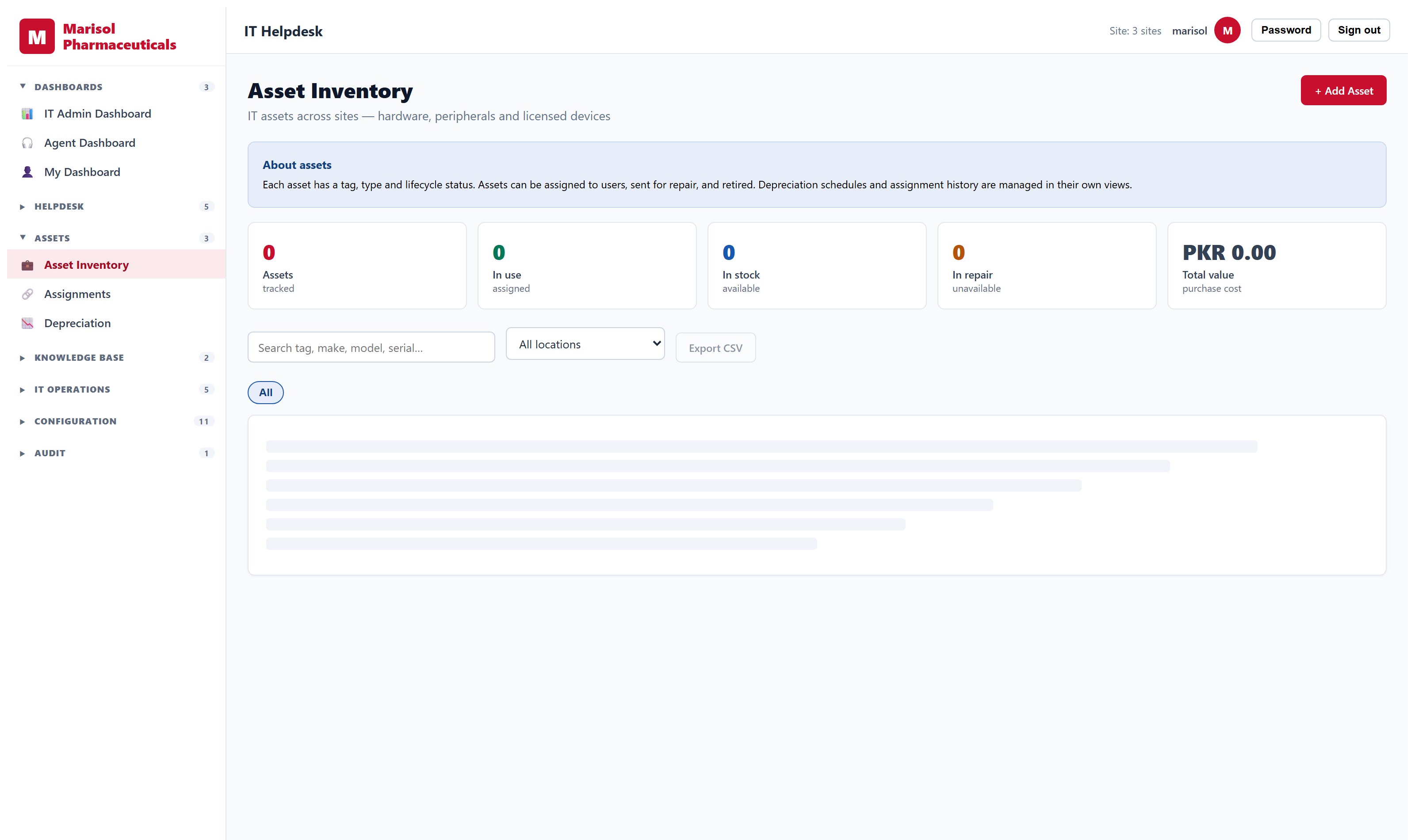
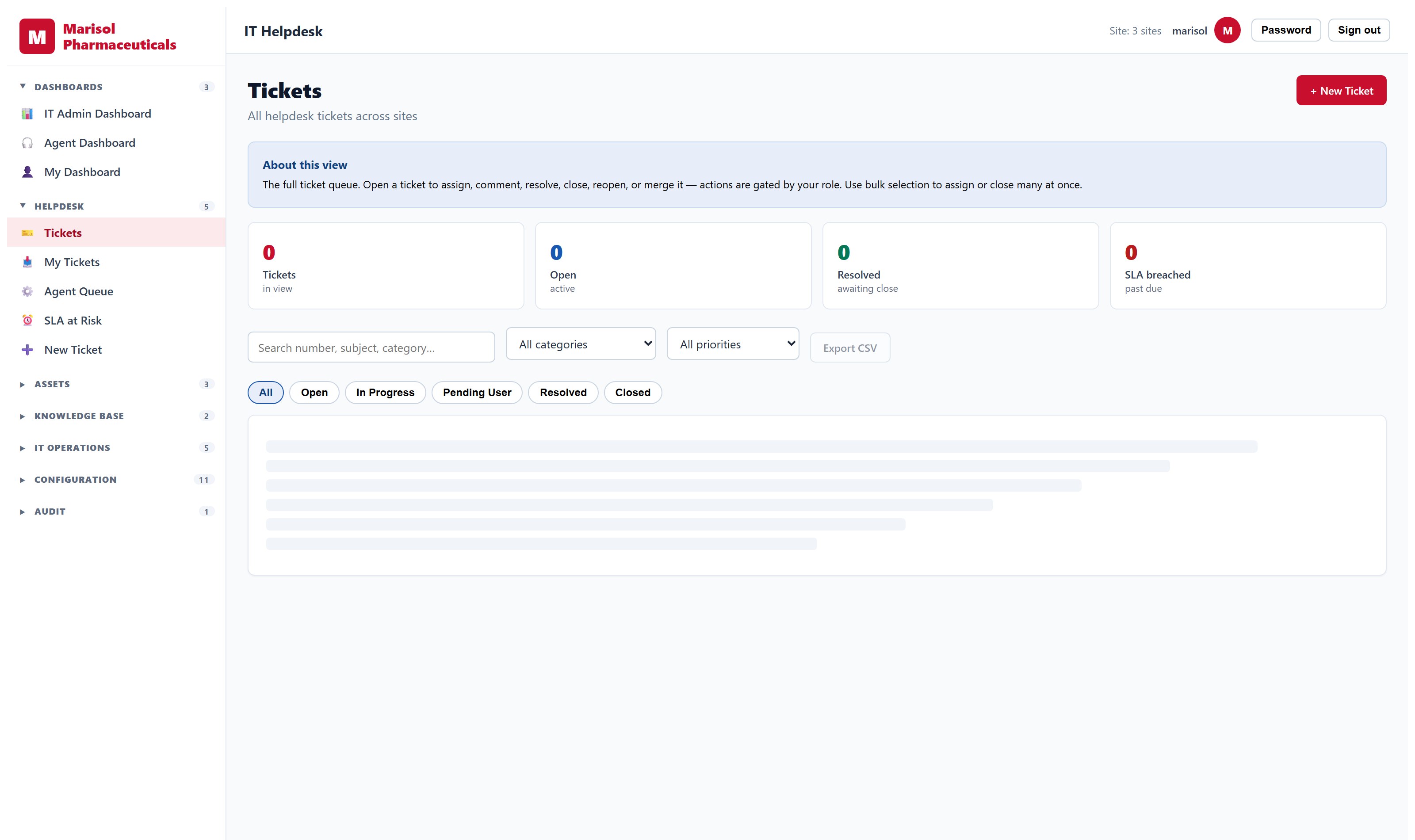
Operations Management
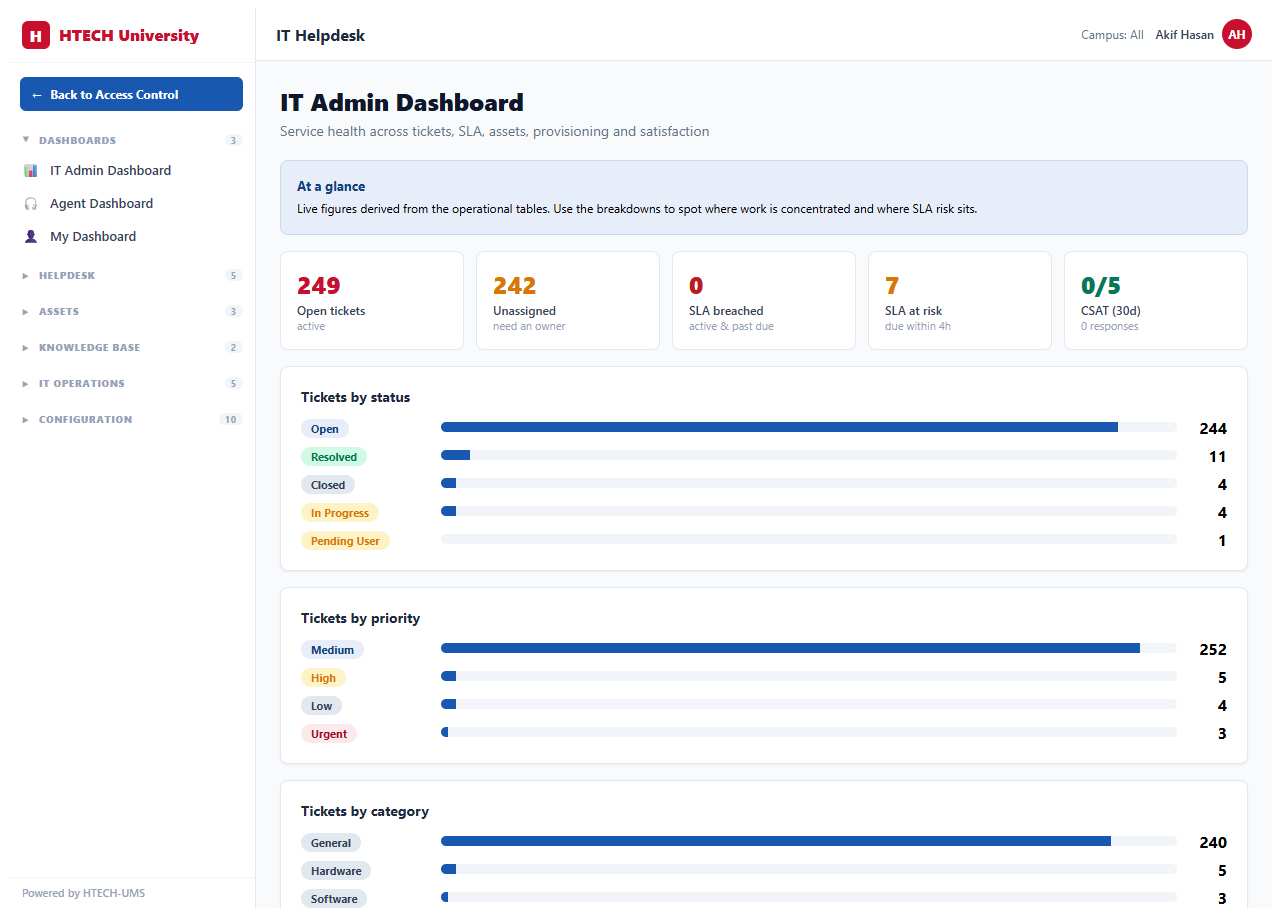
The work, who is doing it, and what is stuck.
- Request intake with categorisation, priority and routing rules
- Assignment to teams and individuals, with workload visible
- Service-level targets with escalation when a target is at risk
- Approval workflows with per-transition permissions
- Knowledge base for repeat issues
- Operational dashboards by team, site and period
- Full audit trail of who did what and when
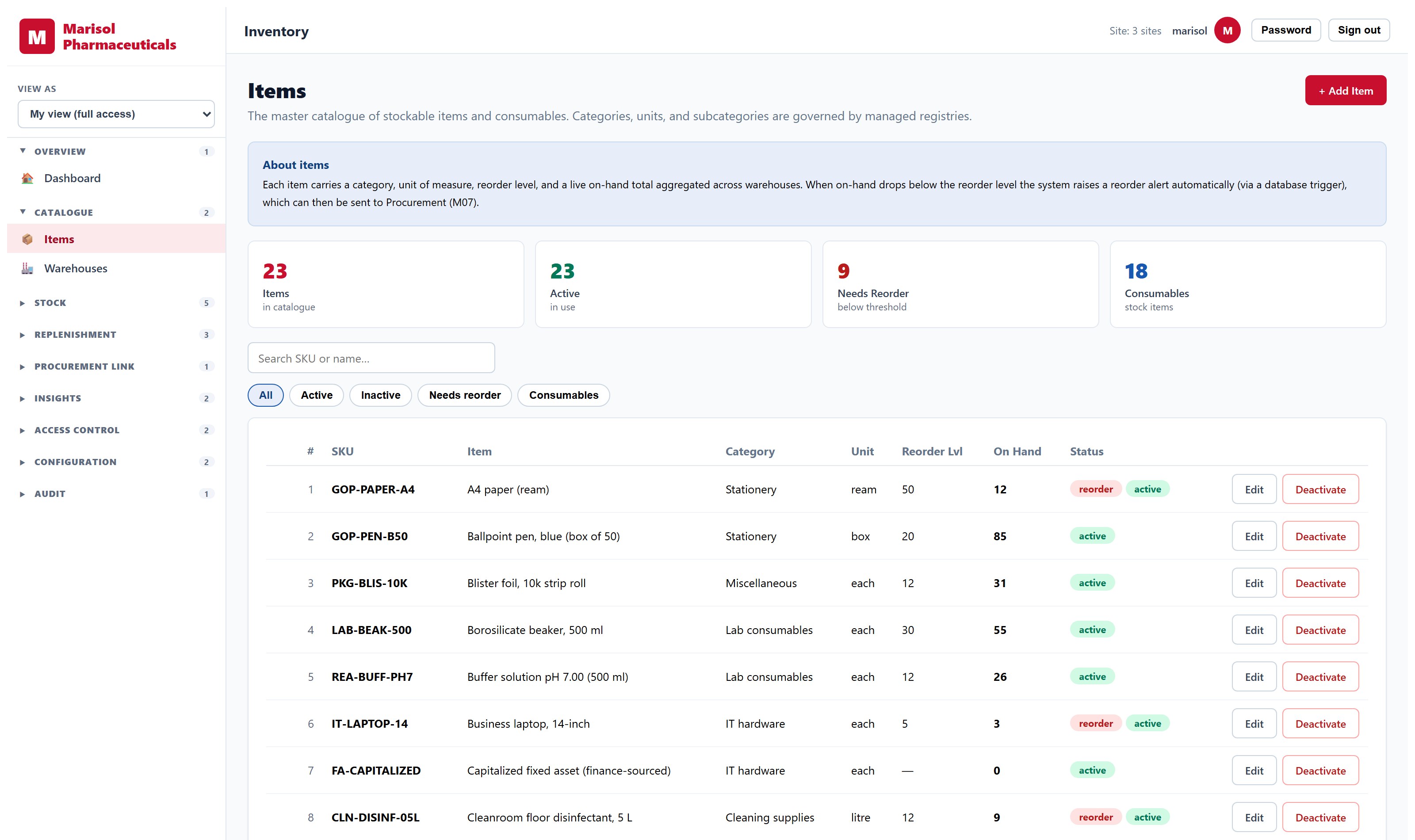
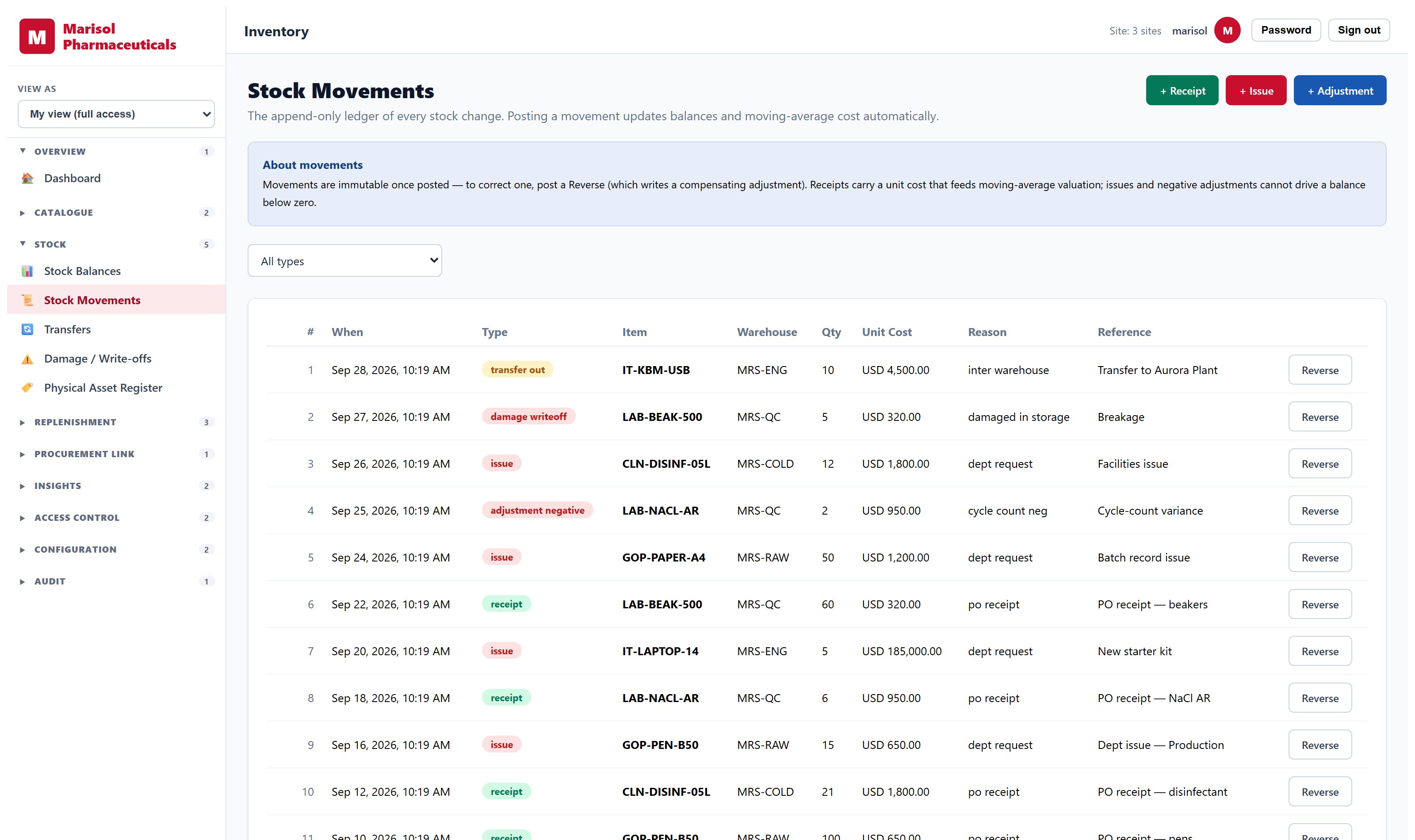
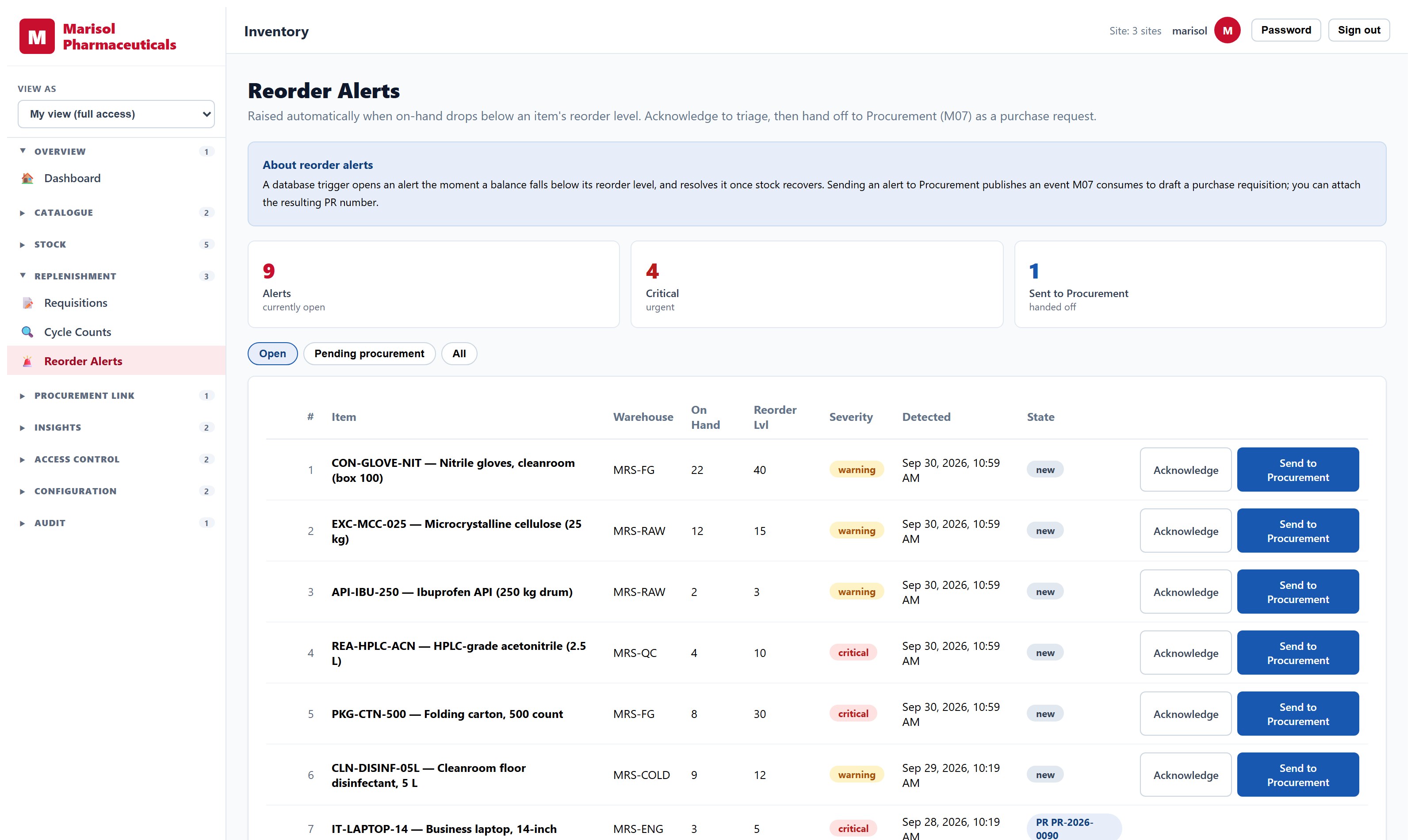
Inventory Management System
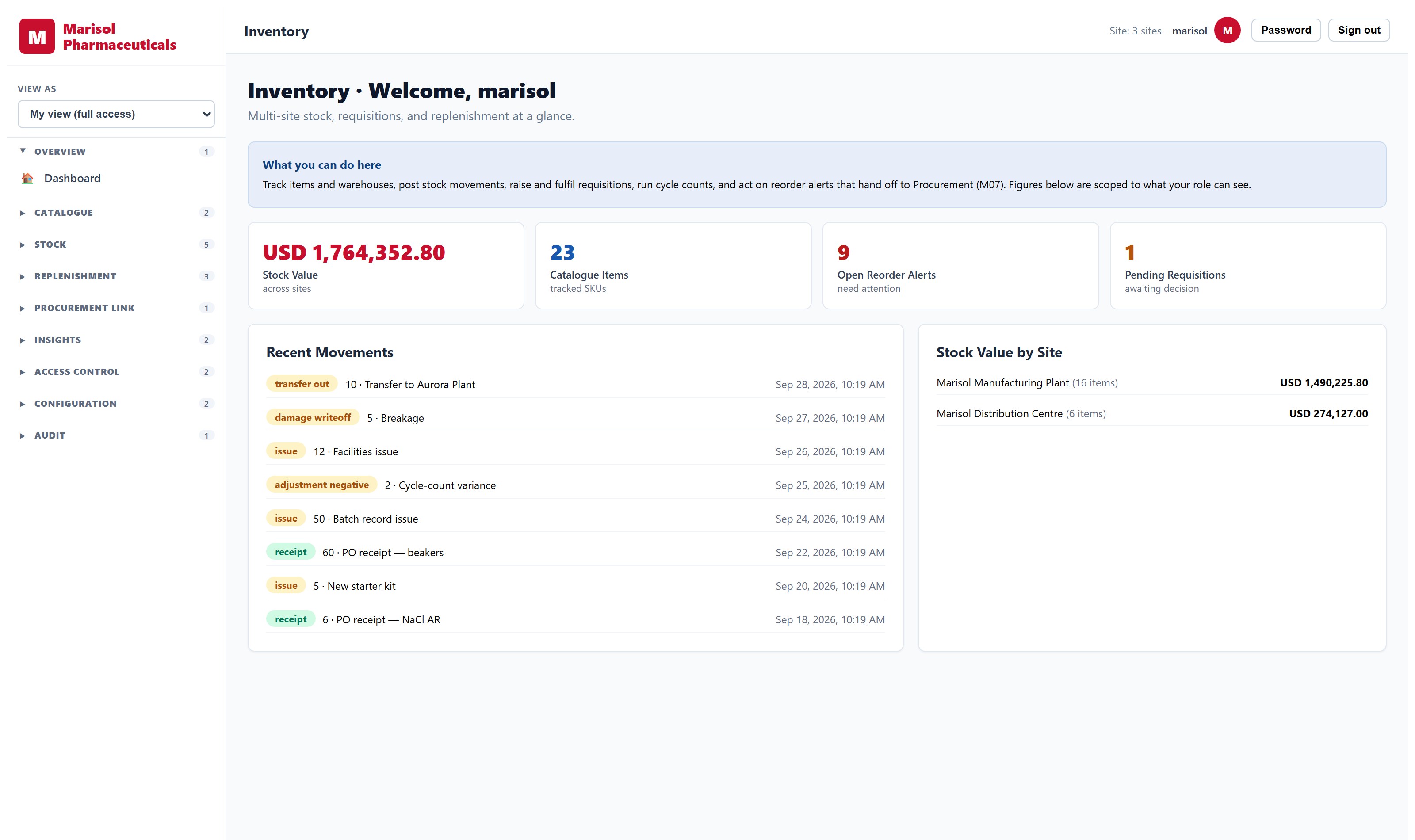
Multi-warehouse stock control with a real audit trail.
- Item master with SKU, unit cost, categorisation and reorder thresholds
- Multi-warehouse management with per-warehouse permissions and site roll-up
- Stock balances by item, warehouse and site, with a full movement audit trail
- Transfers between warehouses with approvals and partial fulfilment
- Damage and write-offs posting through to asset depreciation
- Departmental requisitions with per-line partial fulfilment
- Cycle counts with discrepancy reconciliation
- Reorder alerts that create purchase requisitions automatically
Facility Management System
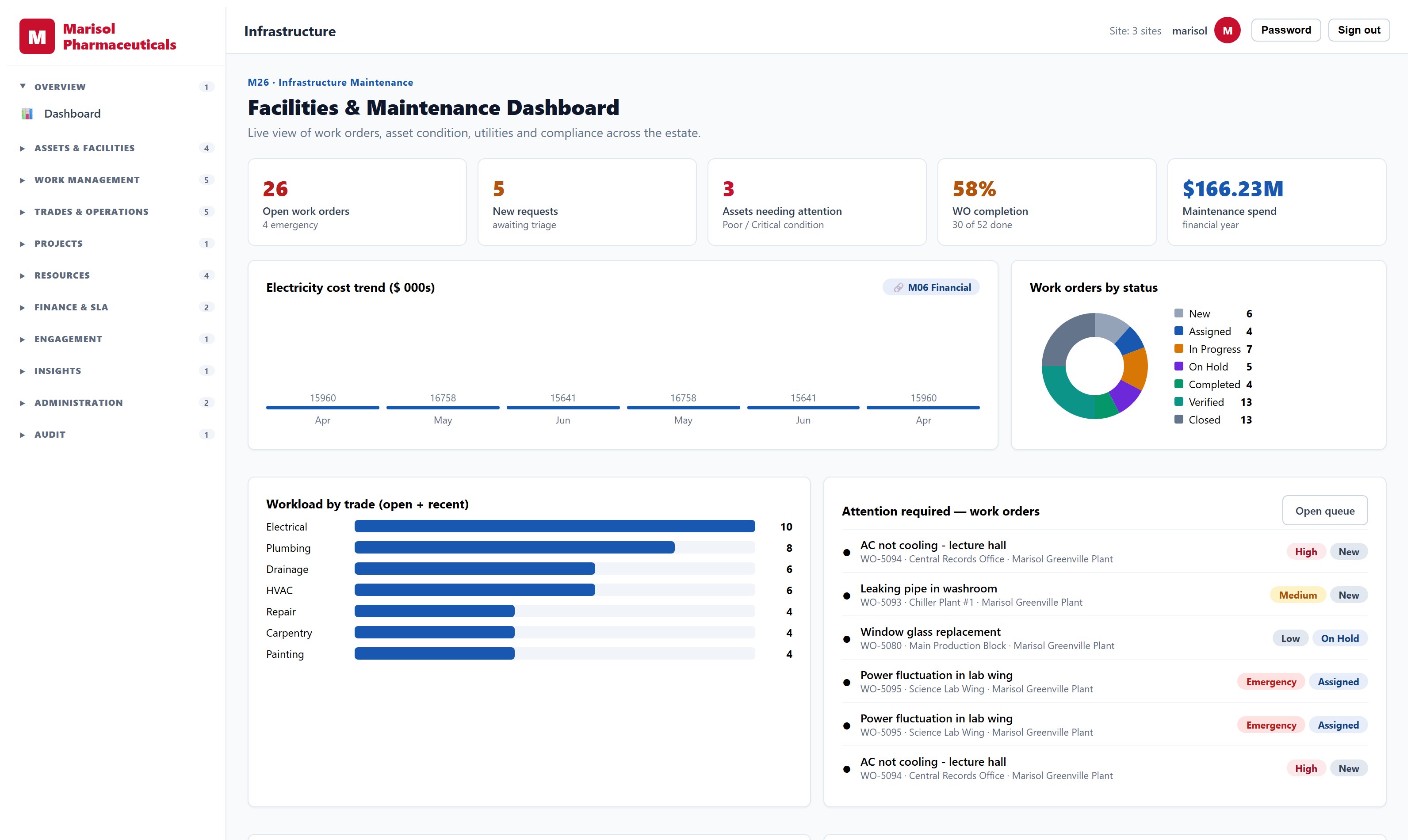
Buildings, assets and the work that keeps them running.
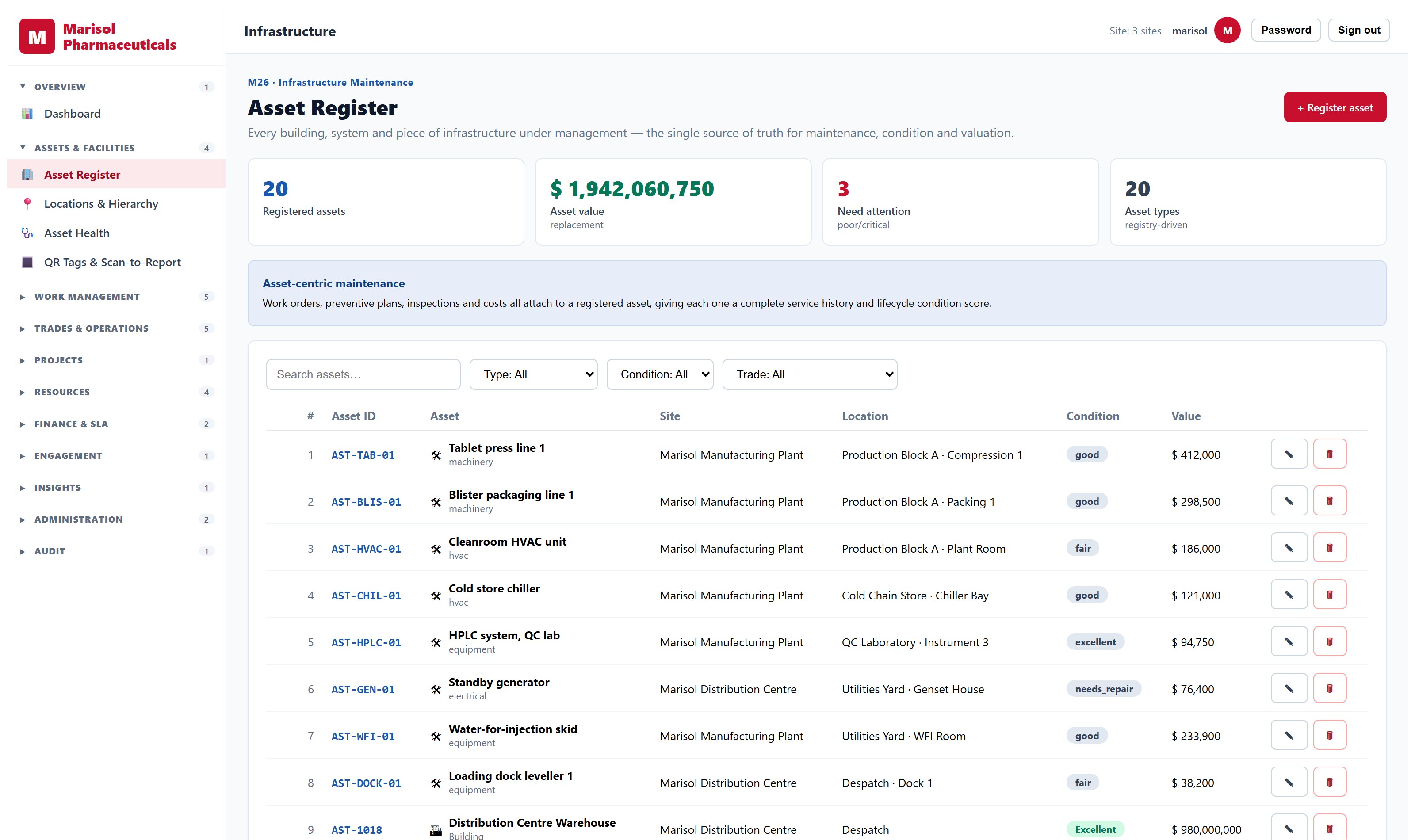
- Asset register by building, floor and room, with condition and warranty
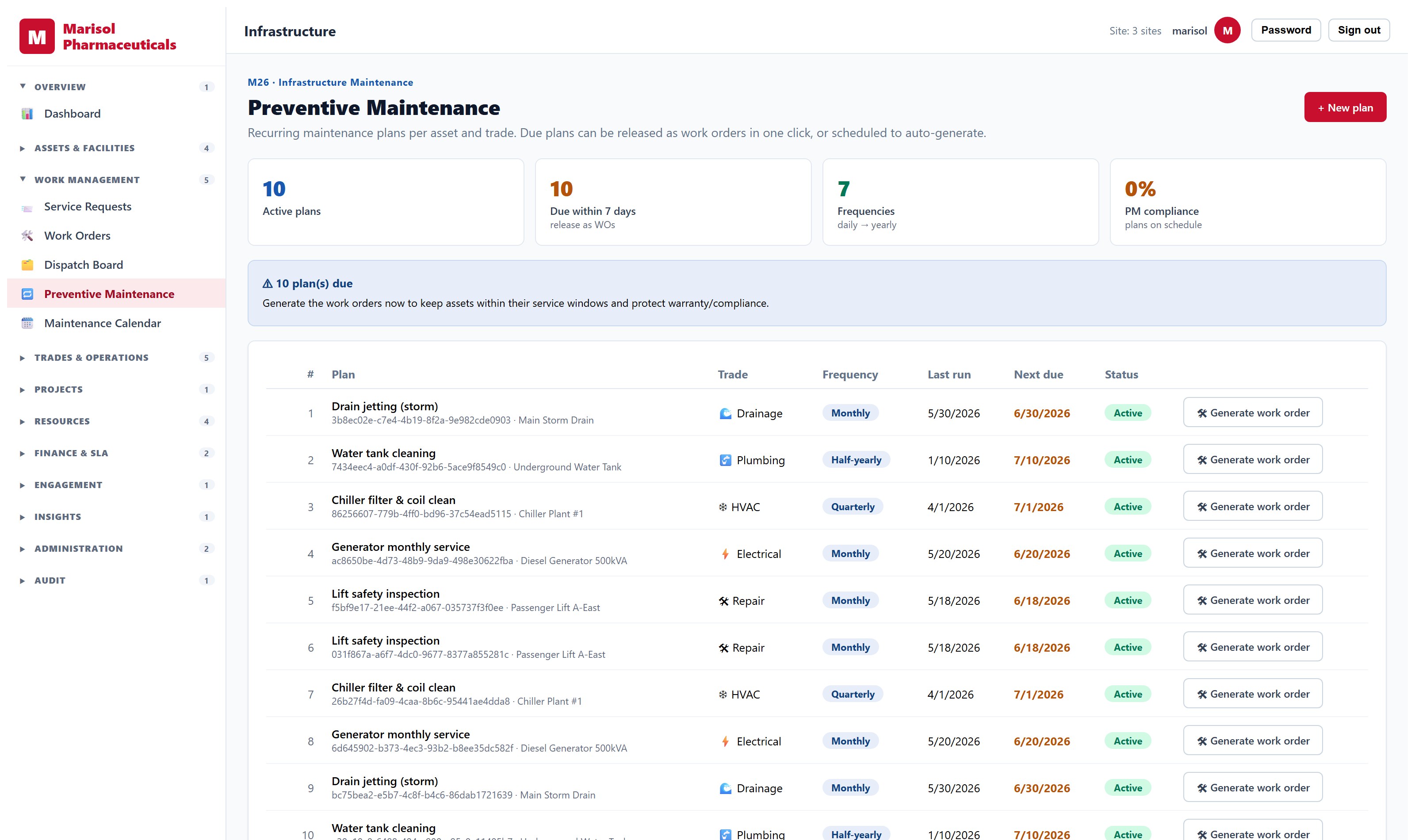
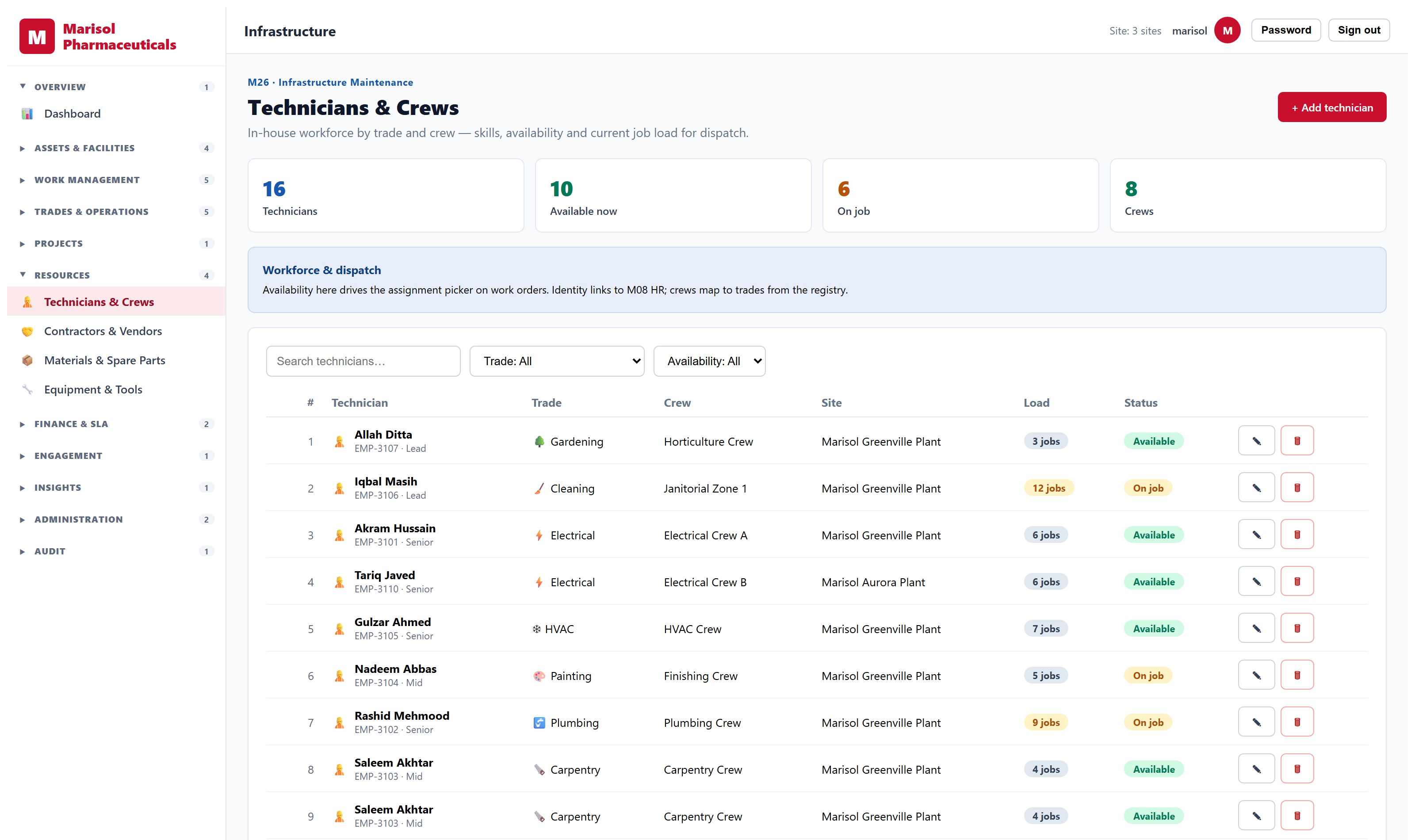
- Work orders from request through assignment to completion
- Planned preventive maintenance schedules
- Technician roster, skills and assignment
- Service requests from occupants, with status visible to them
- Space and room allocation
- Maintenance cost by asset, building and period
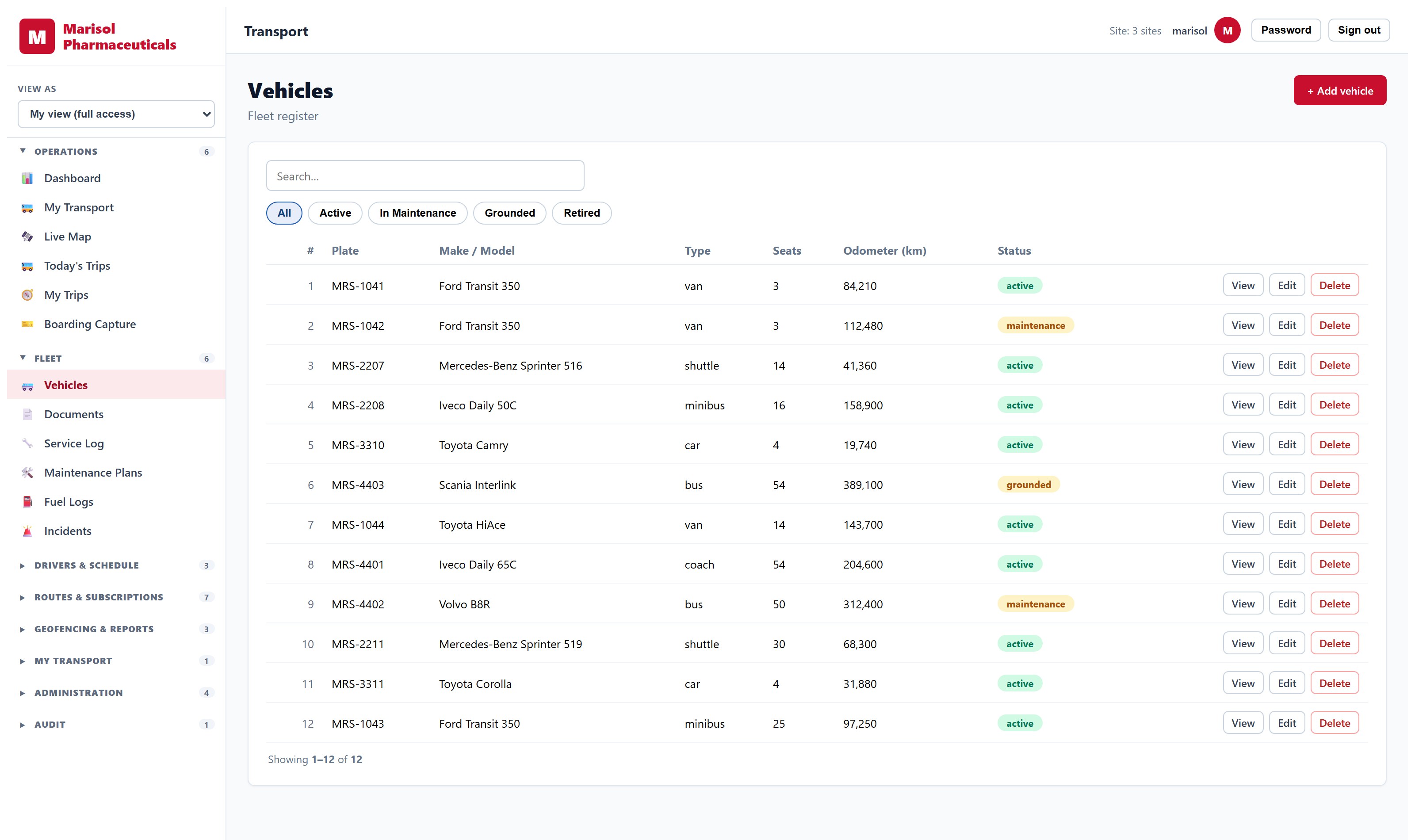
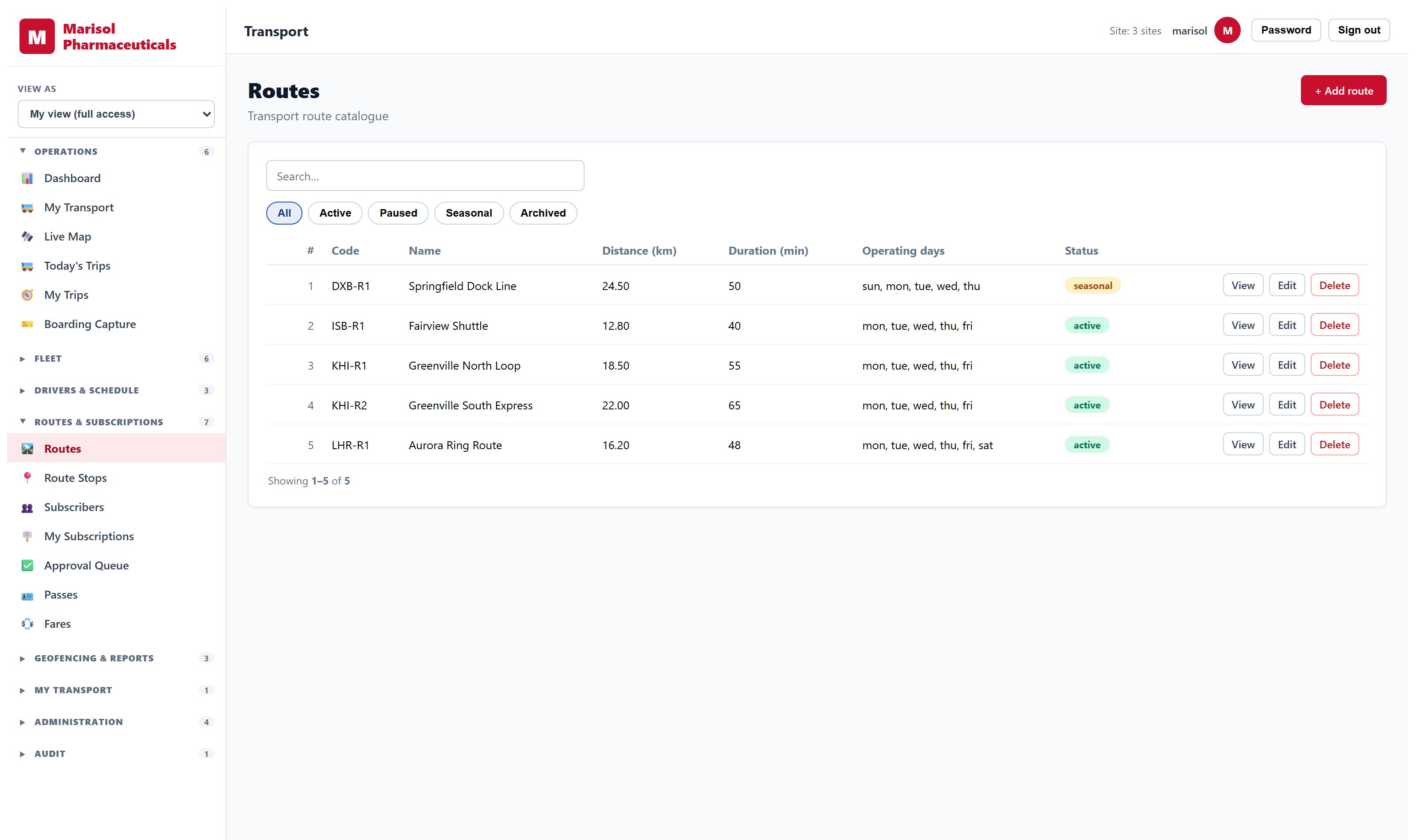
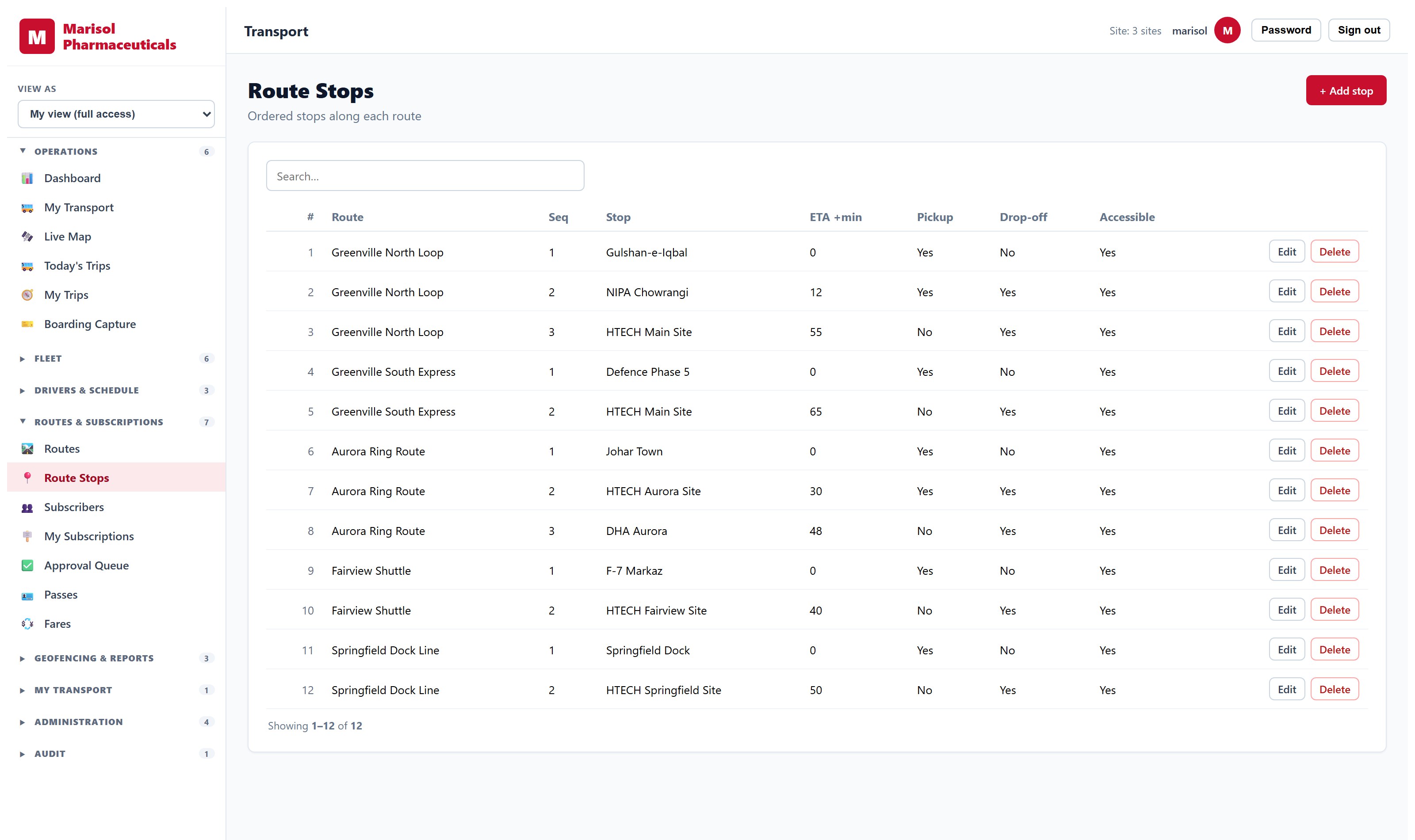
Fleet and Passenger Transport
Vehicles, drivers, routes, and who is on board.
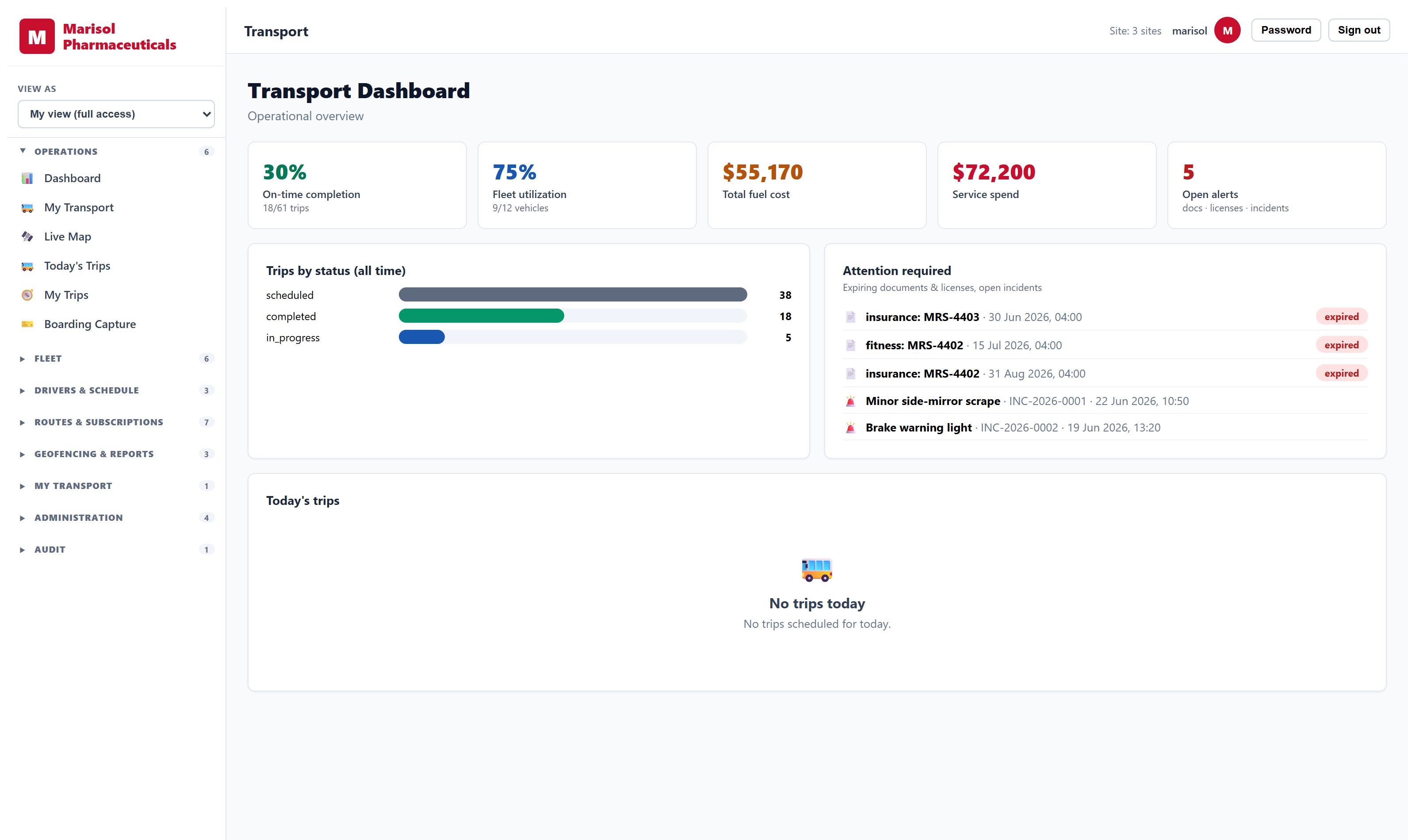
- Vehicle register with documents, servicing and compliance dates
- Driver records, licensing and assignment
- Route and stop definition with timetables
- Passenger allocation to routes and stops, and boarding capture
- Trip records and utilisation reporting
- Cost per route and per vehicle
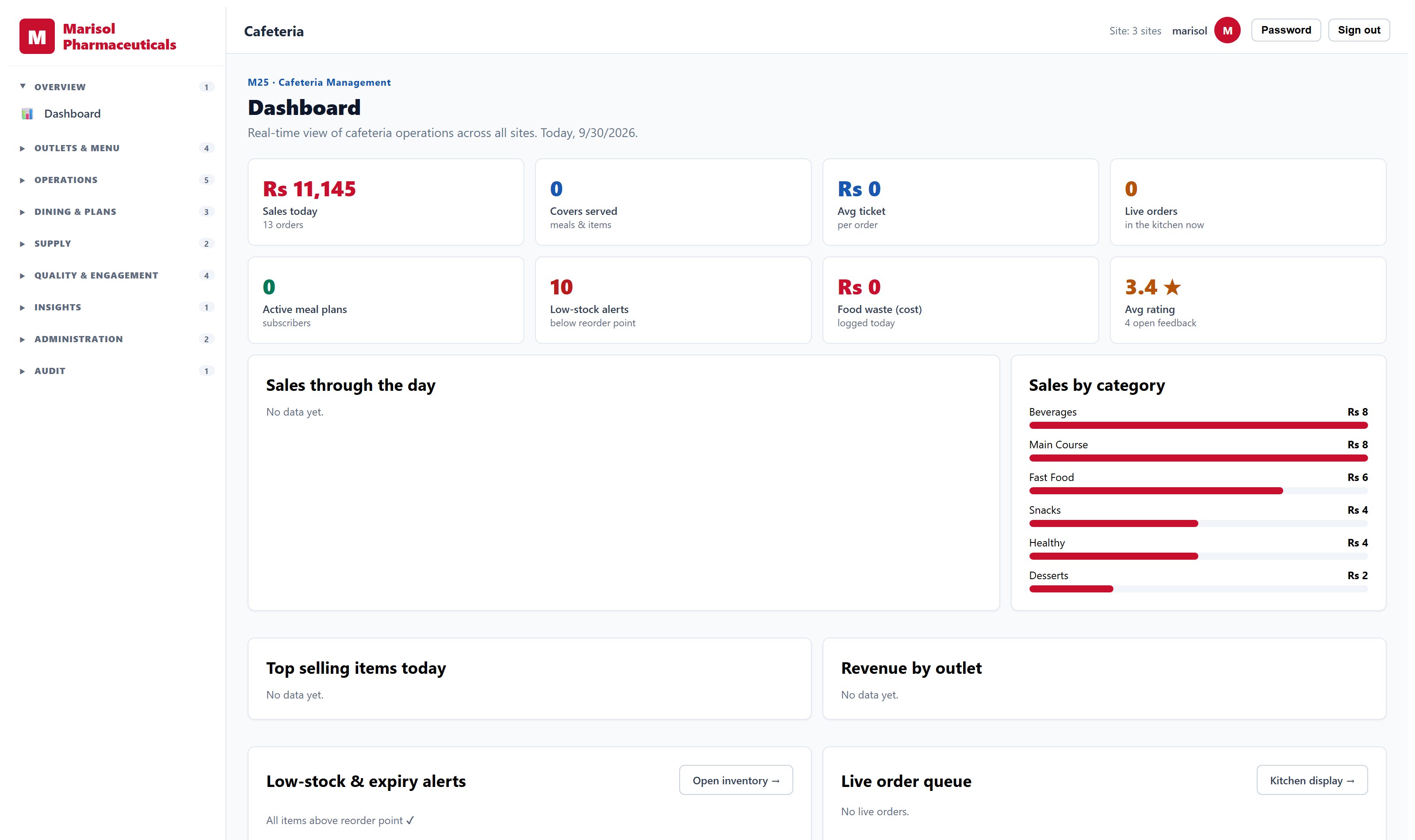
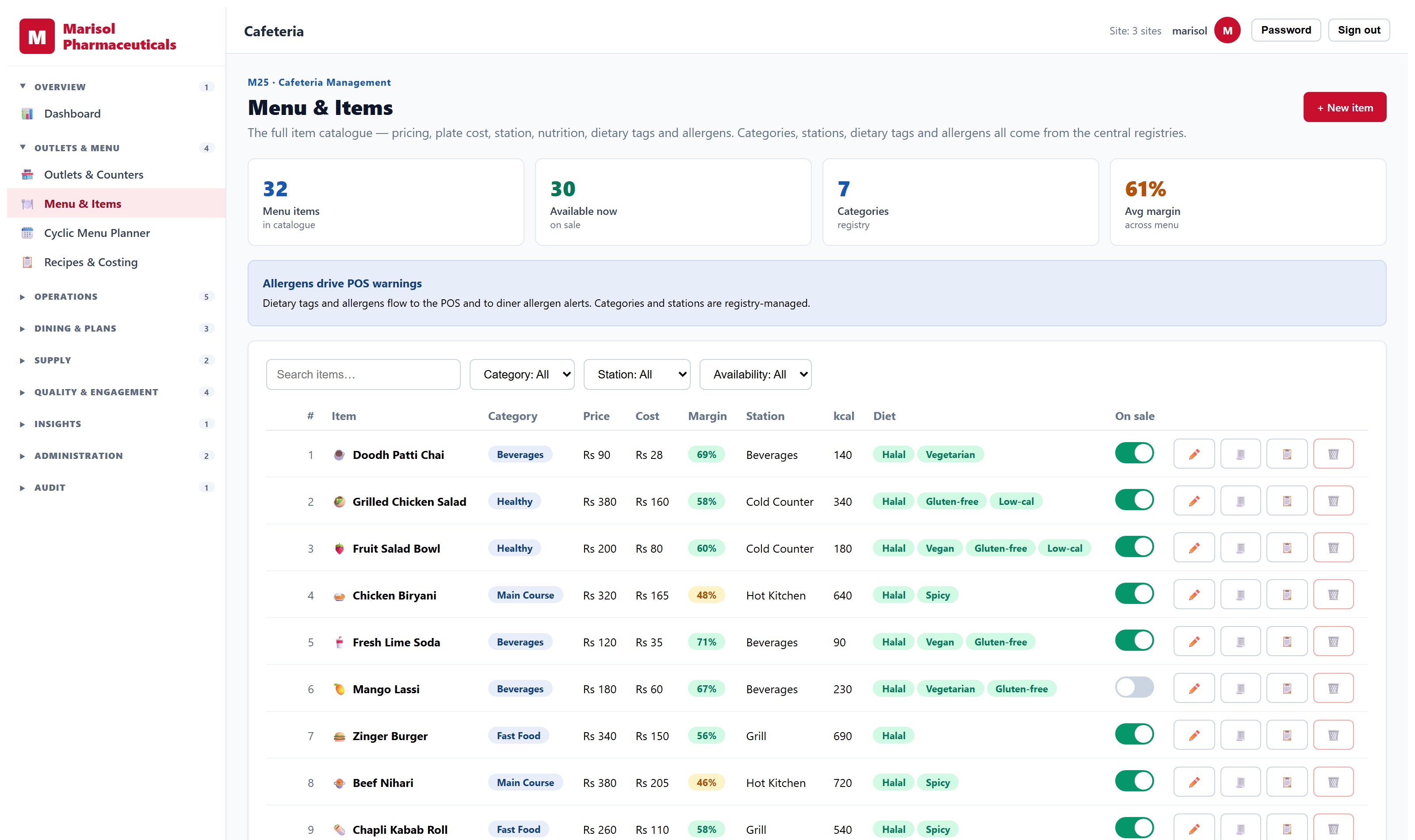
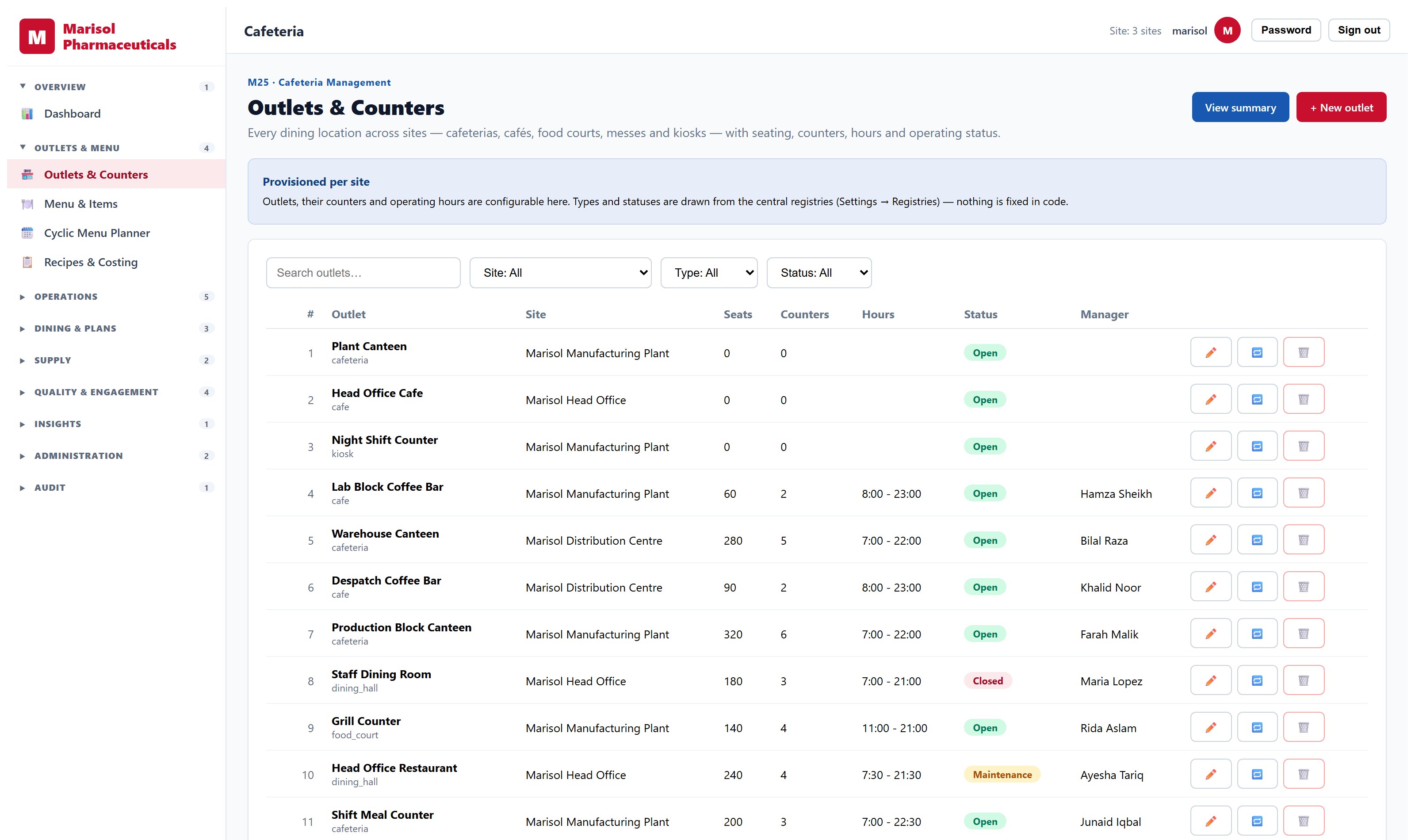
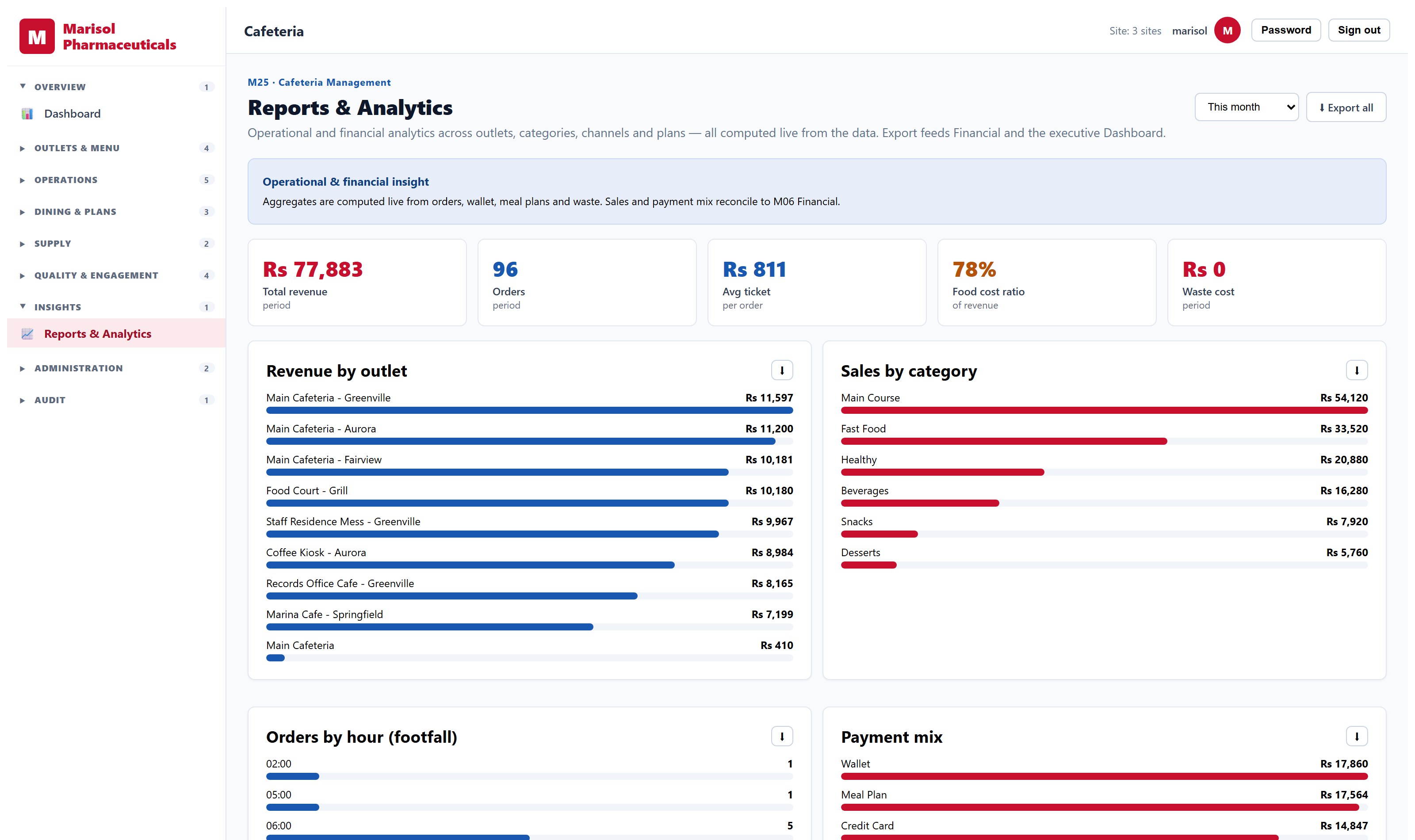
Restaurant Management System
Outlets, menus, orders and what it costs to serve them.
- Multiple outlets with their own menus and opening hours
- Menu and item management with pricing
- Order capture and fulfilment
- Meal plans and prepaid diner accounts
- Stock consumption linked to inventory
- Sales and consumption reporting by outlet and period
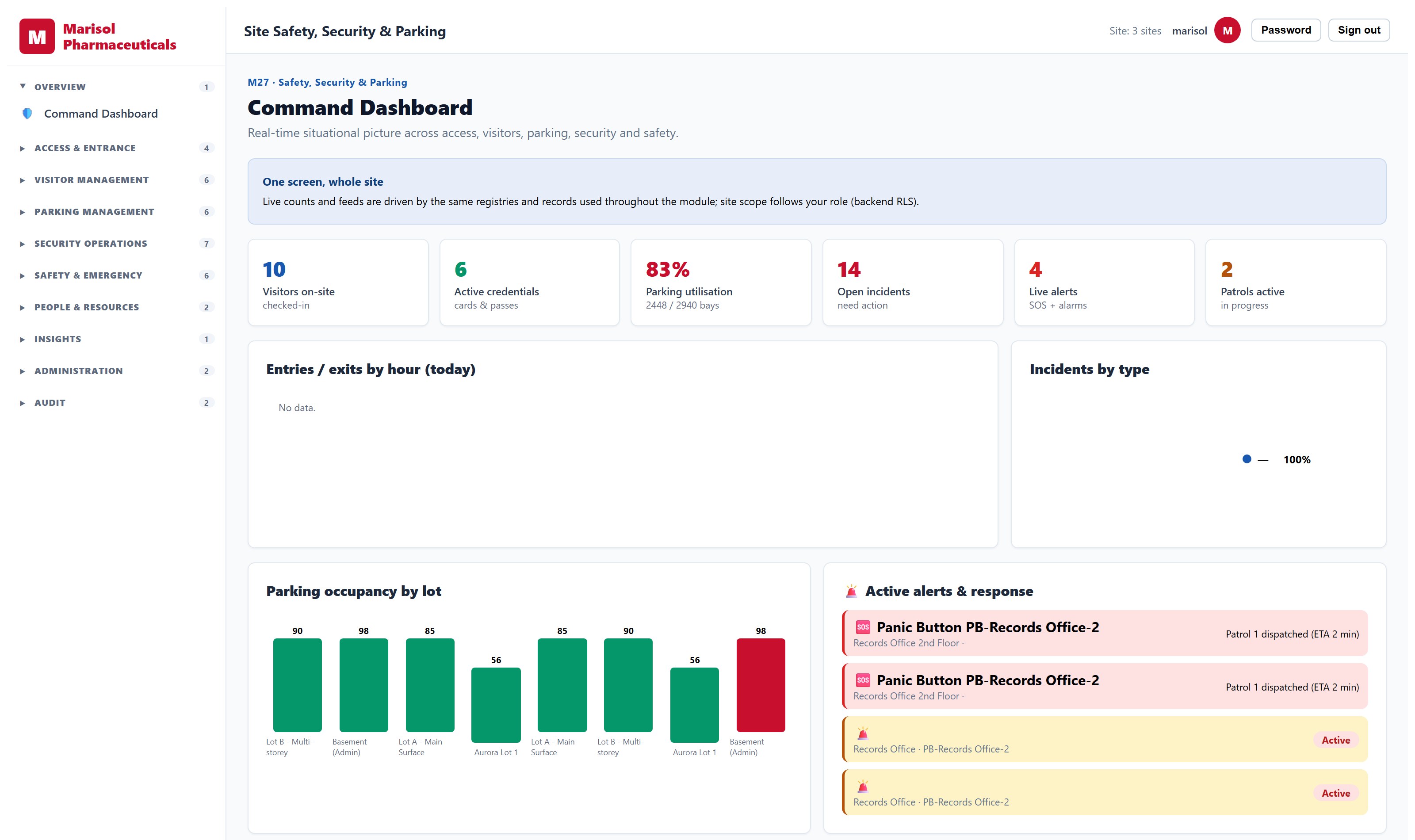
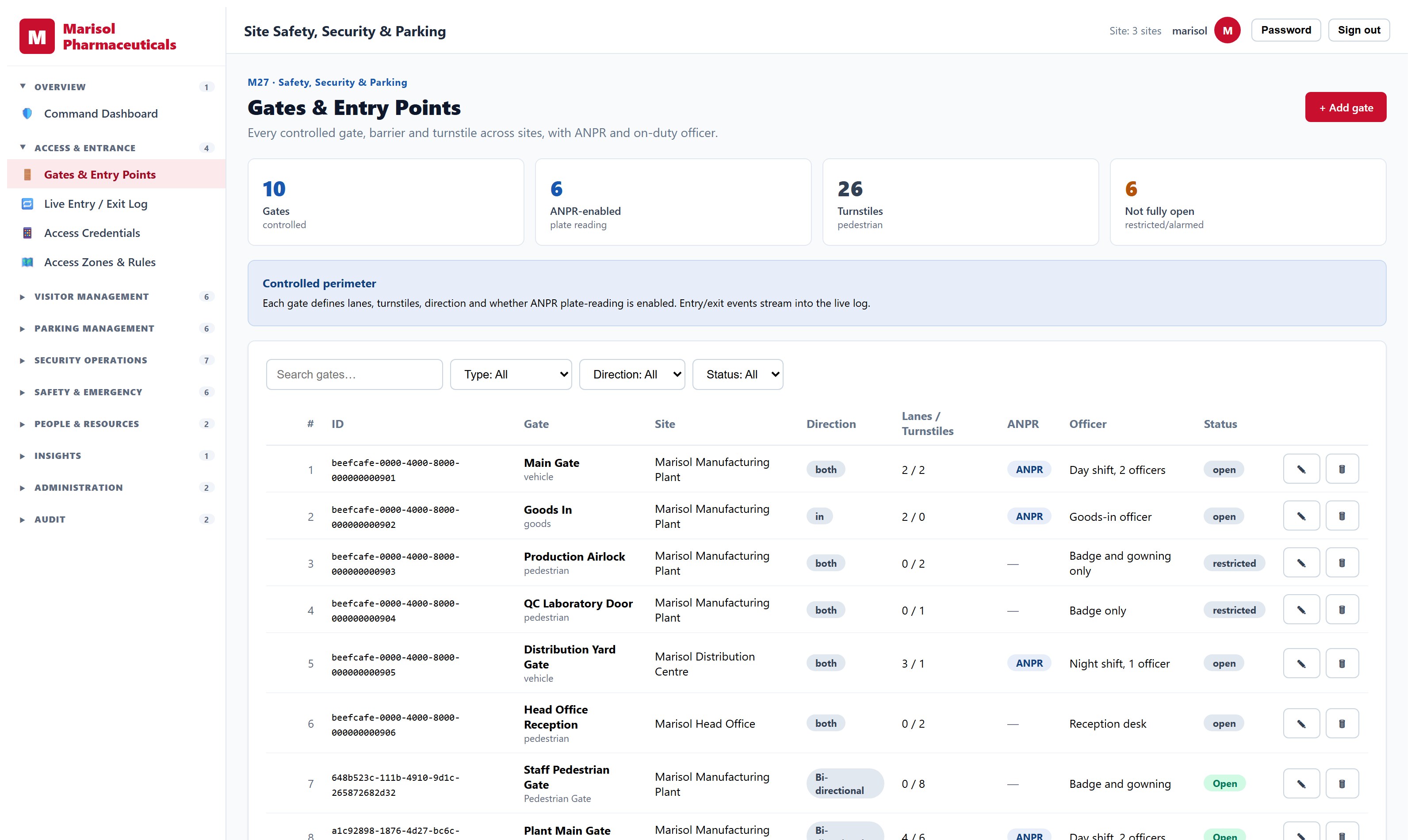
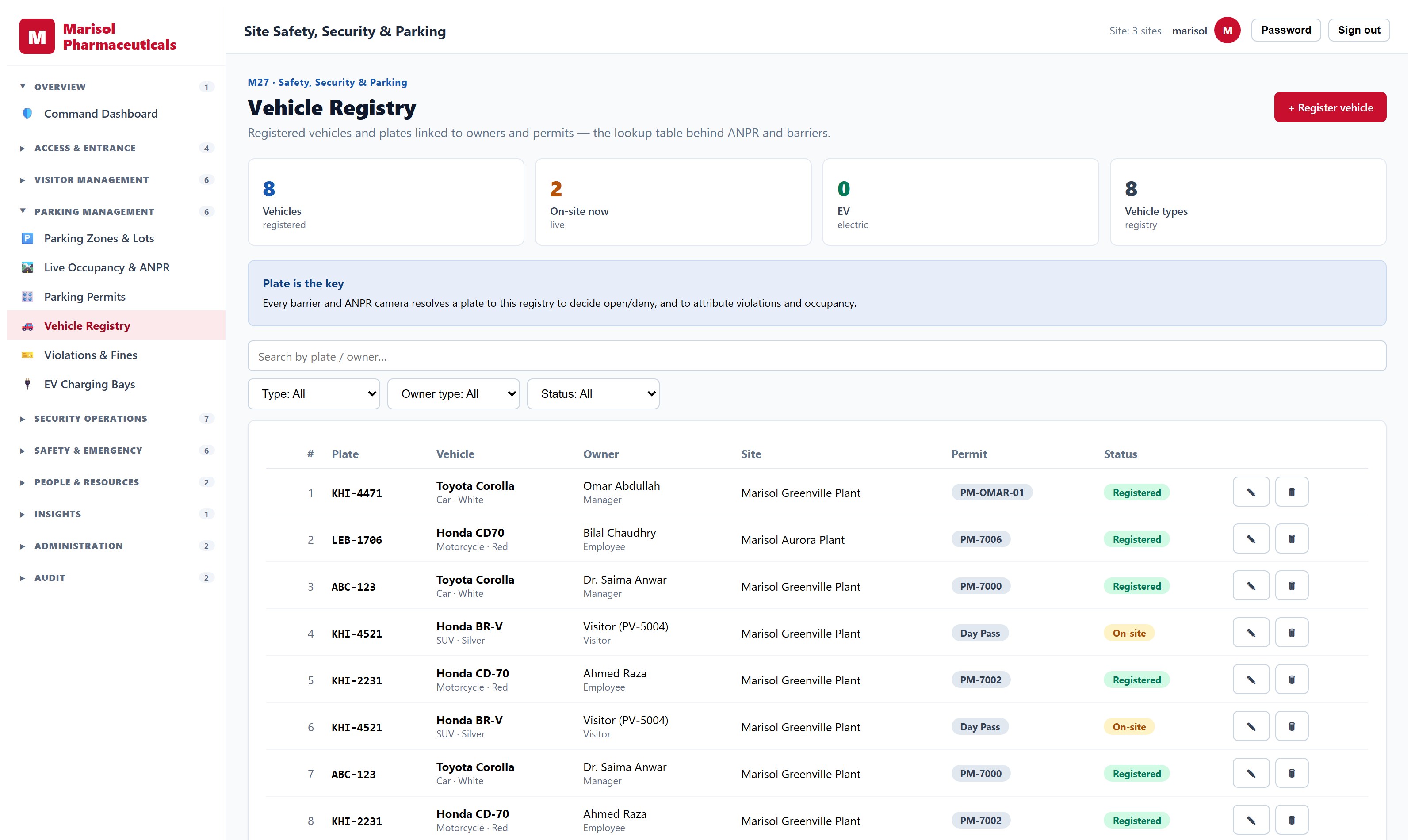
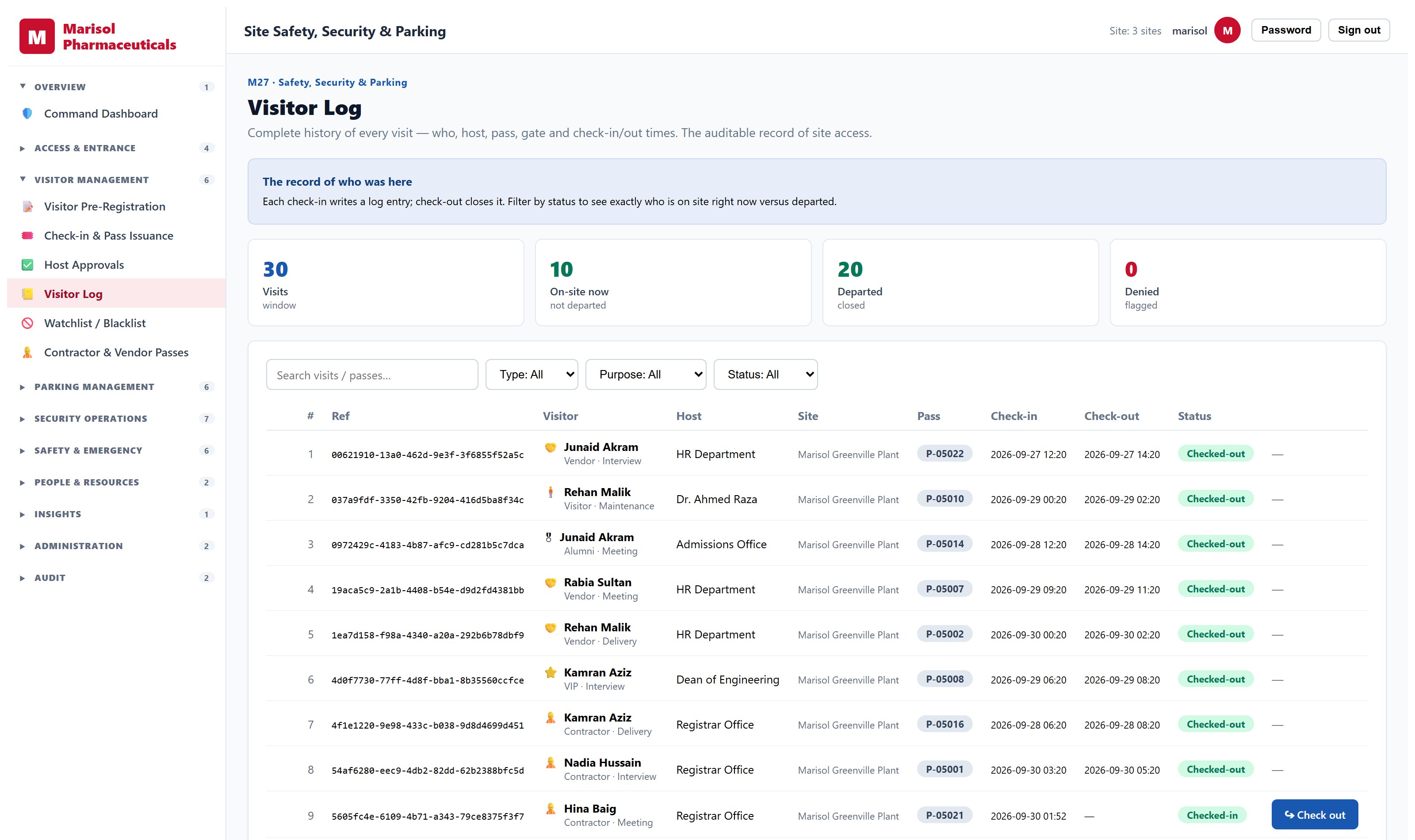
Parking and Visitor Management System
Who is on site, which vehicle, and through which gate.
- Visitor pre-registration, check-in and check-out
- Gate and access-point configuration
- Vehicle and parking allocation
- Pass issuance with validity windows
- Incident logging and follow-up
- Camera and device register
- On-site presence reporting
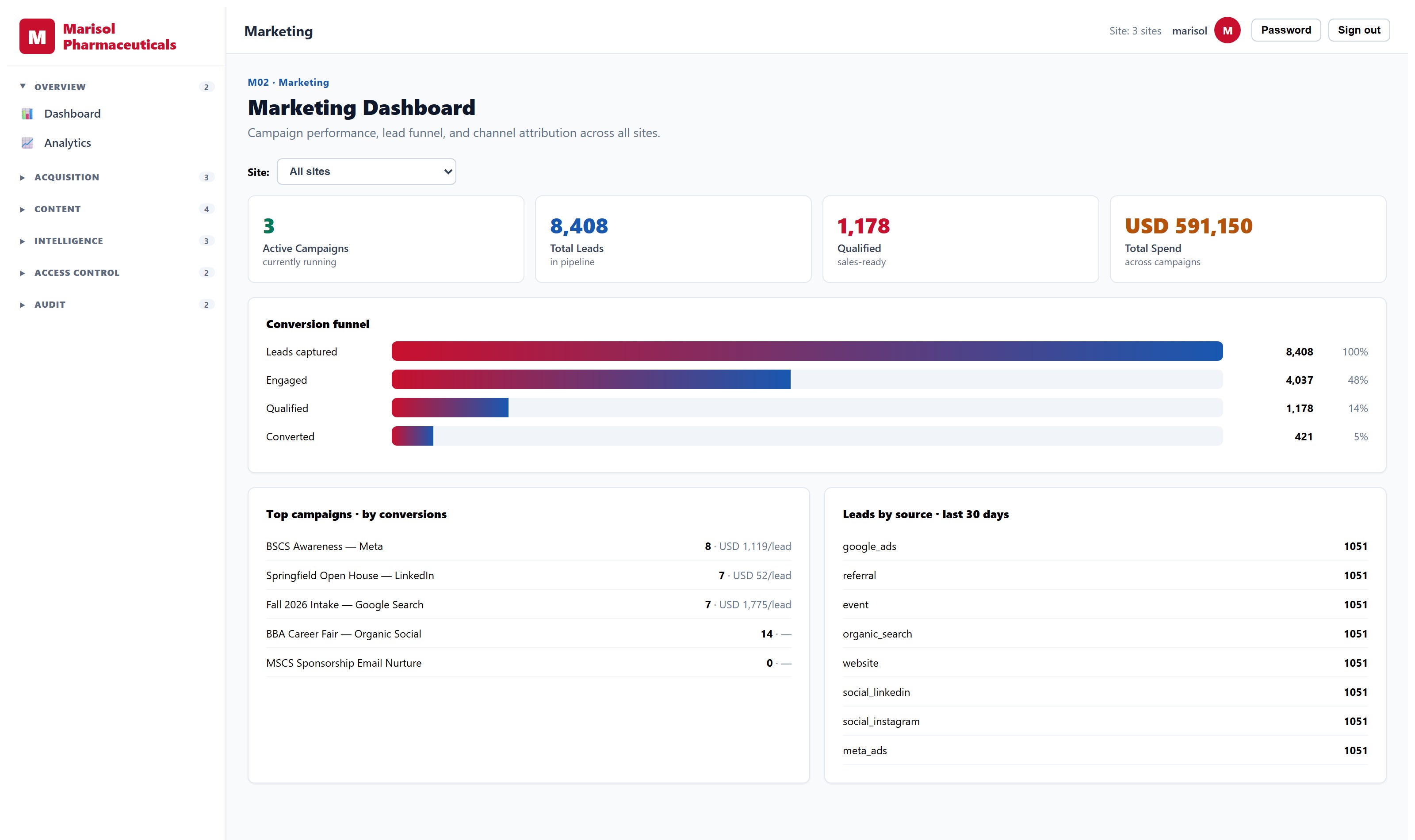
Digital Marketing System
Campaigns, leads and what actually produced them.
- Campaign creation and scheduling across email and social channels
- Lead capture, scoring and lifecycle stages
- Audience segments with membership rules
- Email templates with send tracking and open reporting
- Social account management with scheduled publishing and approval
- Multi-touch attribution across touchpoints
- UTM handling and channel normalisation
- Campaign performance by channel, segment and period
One system. One set of numbers.
Each product is sold on its own. Run more than one and they share a single database — which is where the month-end spreadsheet, the re-keying, and the arguments about whose figure is right all go.
One source of truth
A purchase order becomes a goods receipt, which creates the asset, starts its depreciation and posts the journal — without anyone typing it a second time, because there is no second place to type it into.
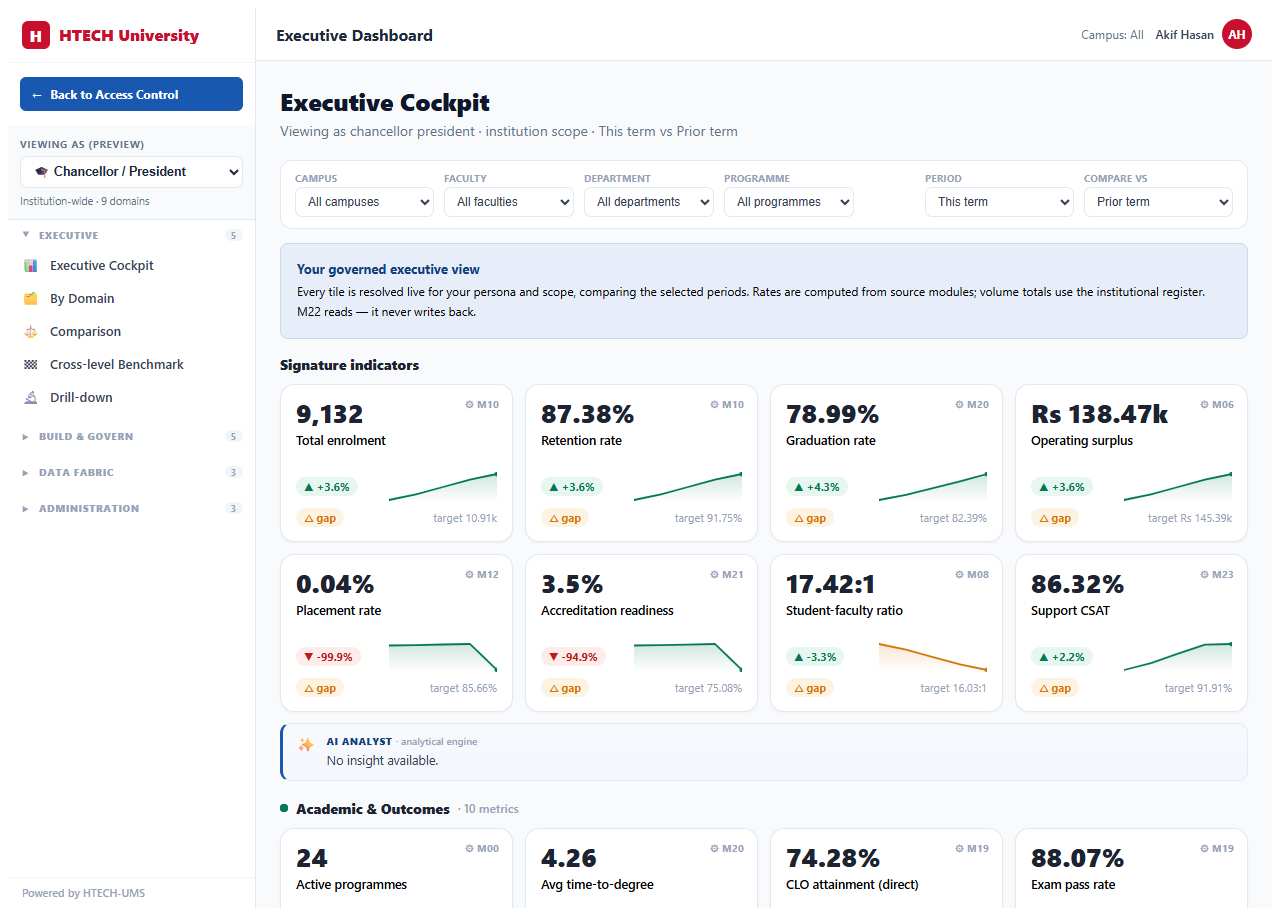
An executive view that opens
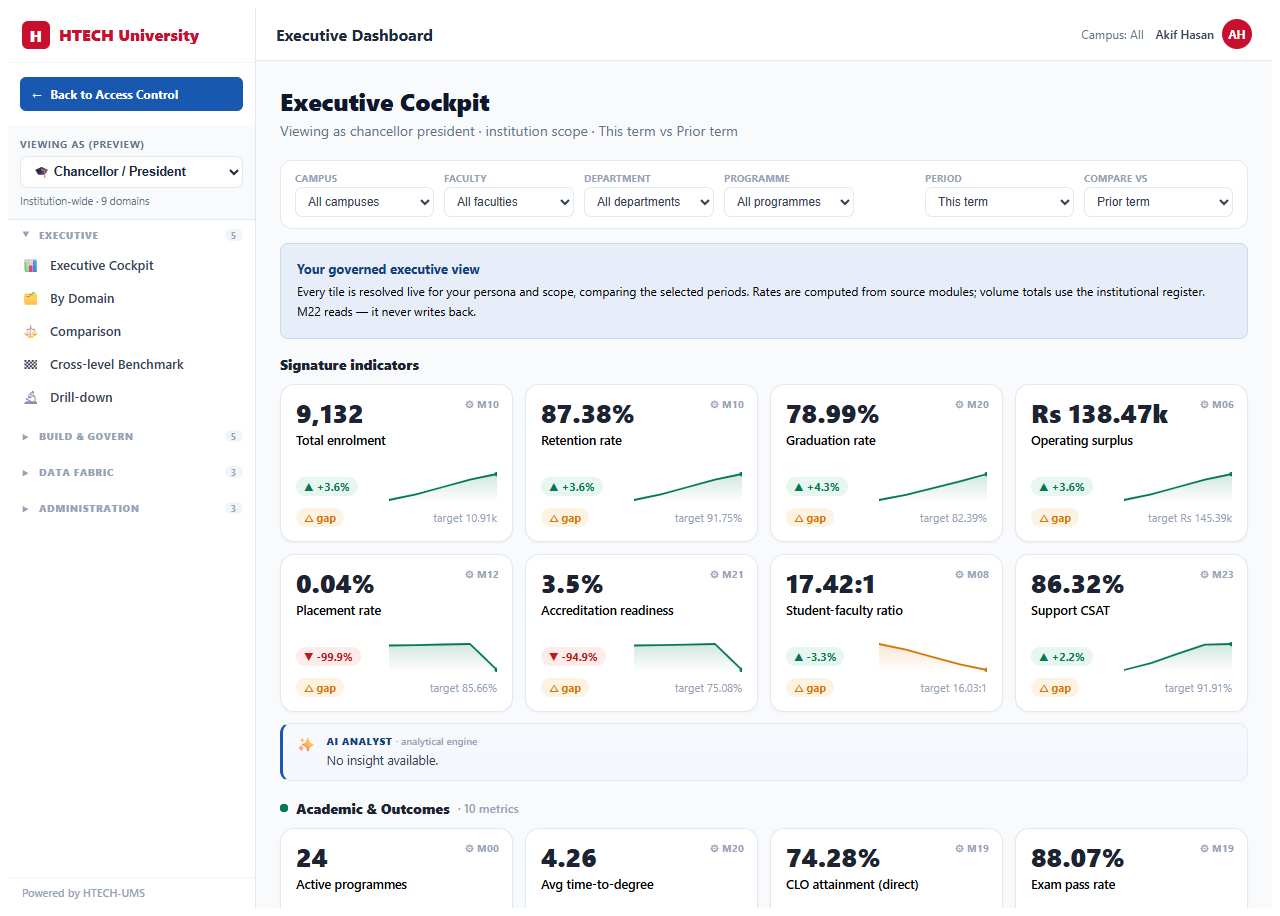
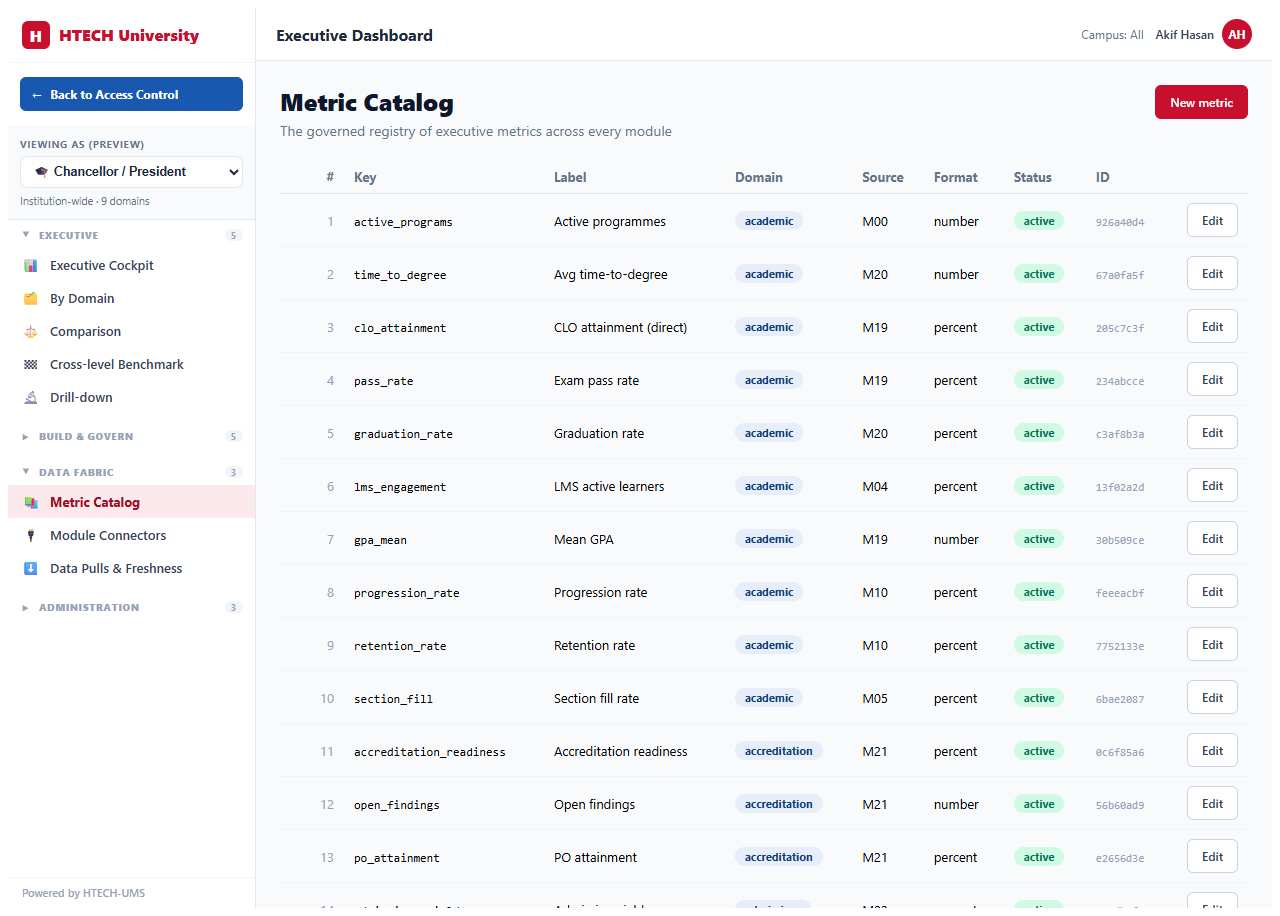
Indicators computed from the modules that own the data, scoped the way your organisation is, and every figure drills through to the records behind it. Alerts when one crosses a threshold; board packs and scheduled reports that assemble themselves.
Reports you build yourself
Pre-built reports for the statutory and the routine, and a builder for the question nobody anticipated: choose a source, pick dimensions and measures, filter, save it, schedule it. No ticket, no quote.
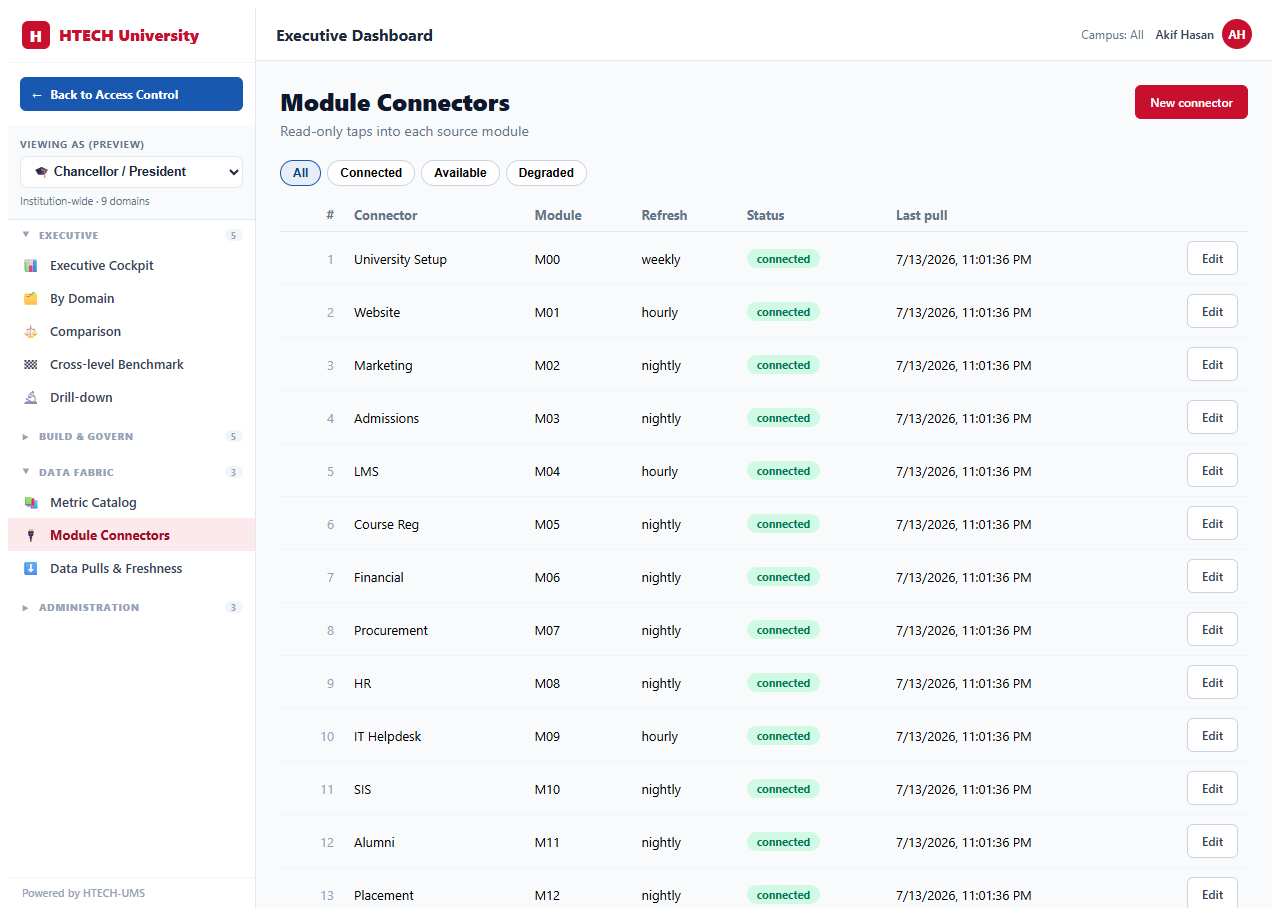
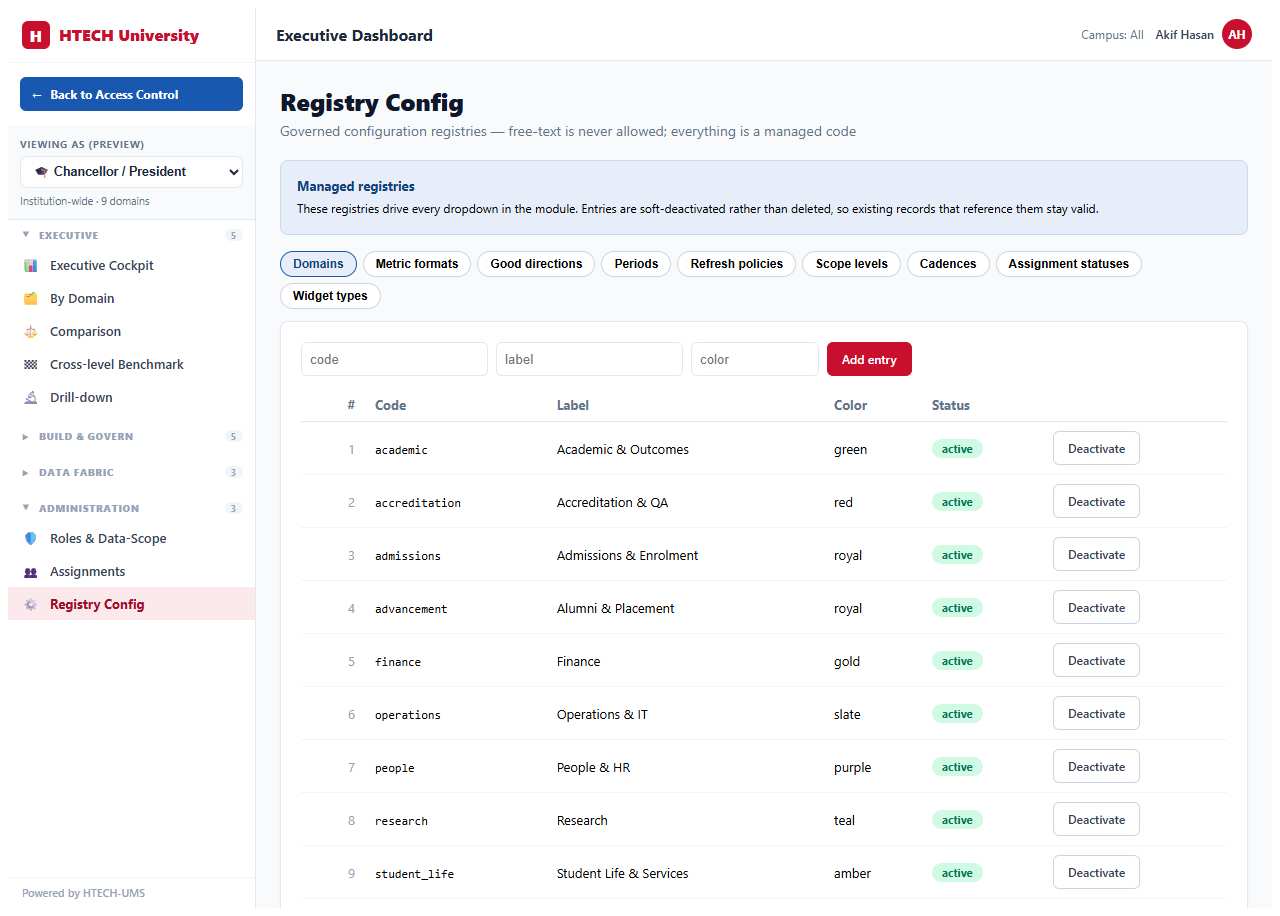
Every indicator opens onto the records behind it
A number you cannot drill into is a claim, not evidence. These are real screens: the metric catalogue that defines each indicator once, and the dashboards built from it.
The work these systems take off your desk
Two things almost every organisation is still doing by hand, and neither of them needs to be.
Stop re-keying between systems
- Stock falling below its level raises the purchase requisition, routed to whoever approves that category
- A goods receipt creates the asset, starts its depreciation and posts it to the ledger
- An approved pay run reaches the payroll accounts without a journal typed by hand
- A reported fault becomes a work order with an owner, a due date and an audit trail
- Every one of those keeps its approval point, because judgement is not the part worth automating
Know what is actually happening
- One figure for stock on hand across every site, that finance and operations both read from
- Spend by supplier, category and department, without three exports and a spreadsheet
- Who is on site, which vehicle they arrived on, and who signed them in
- What a building costs to keep open, broken down by asset
- A complete record of who changed what and when, because somebody eventually asks
One platform underneath, so these connect when you buy more than one — and none of them requires that you do.
One action. Everywhere it matters.
Because every module shares one source of truth, work done in one place ripples across the platform automatically.
See it running on data like yours
Tell us what you run today and which part of the job hurts. We will show you the working system, not slides — and if a product already solves it, we will say which.