
Restaurant Management System
Outlets, menus, orders and what it costs to serve them.
Each outlet runs its own way. Menu costing is guesswork, stock is counted separately from the kitchen, and the margin on a dish is only known in hindsight.
Outlets, menus and orders with meal plans and prepaid accounts — and stock behind it, so a menu is costed against what it actually consumes.
Not a mock-up
Every screen below is the running product, photographed against a manufacturer’s own data — its sites, its stock, its people. Nothing here is a rendering.
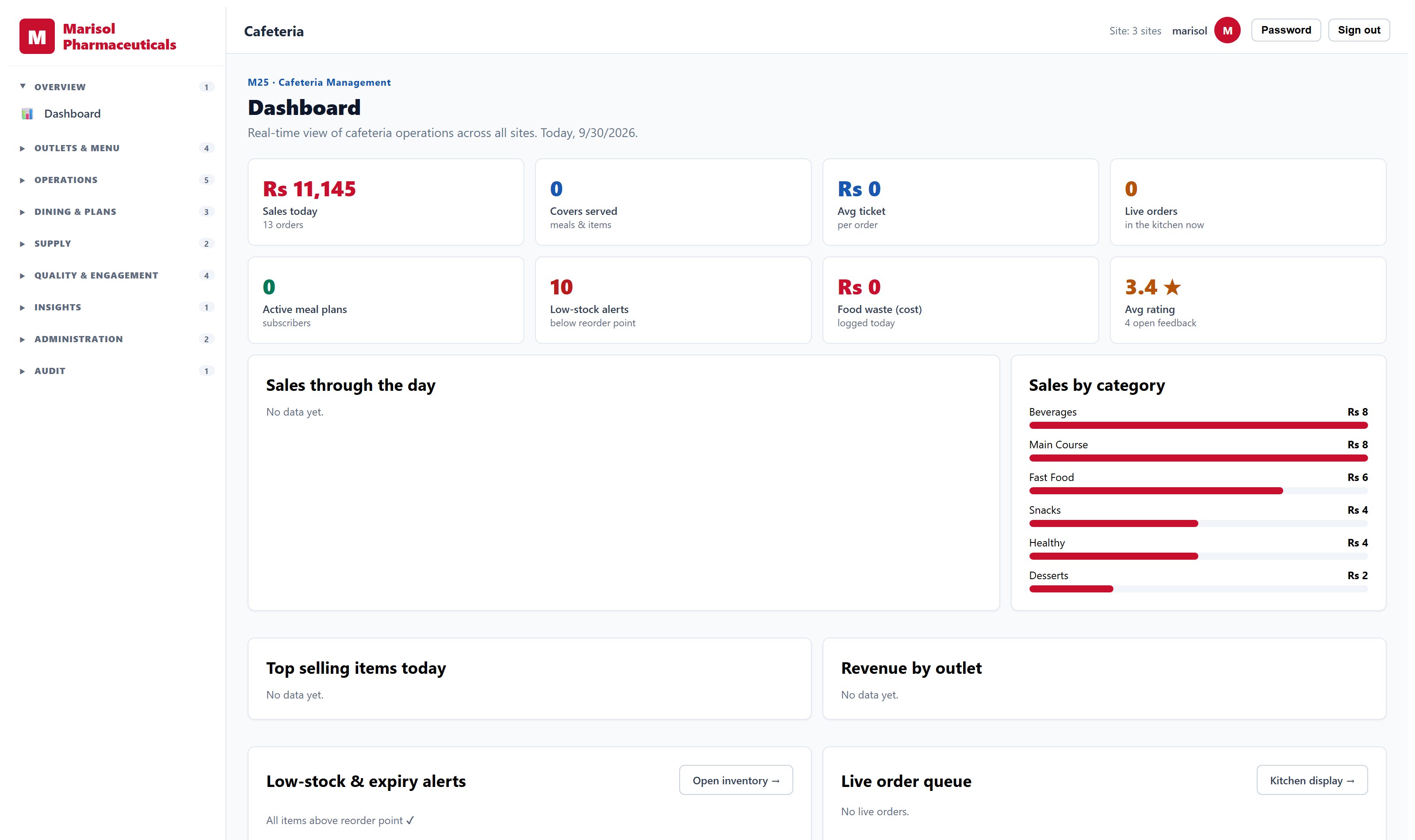
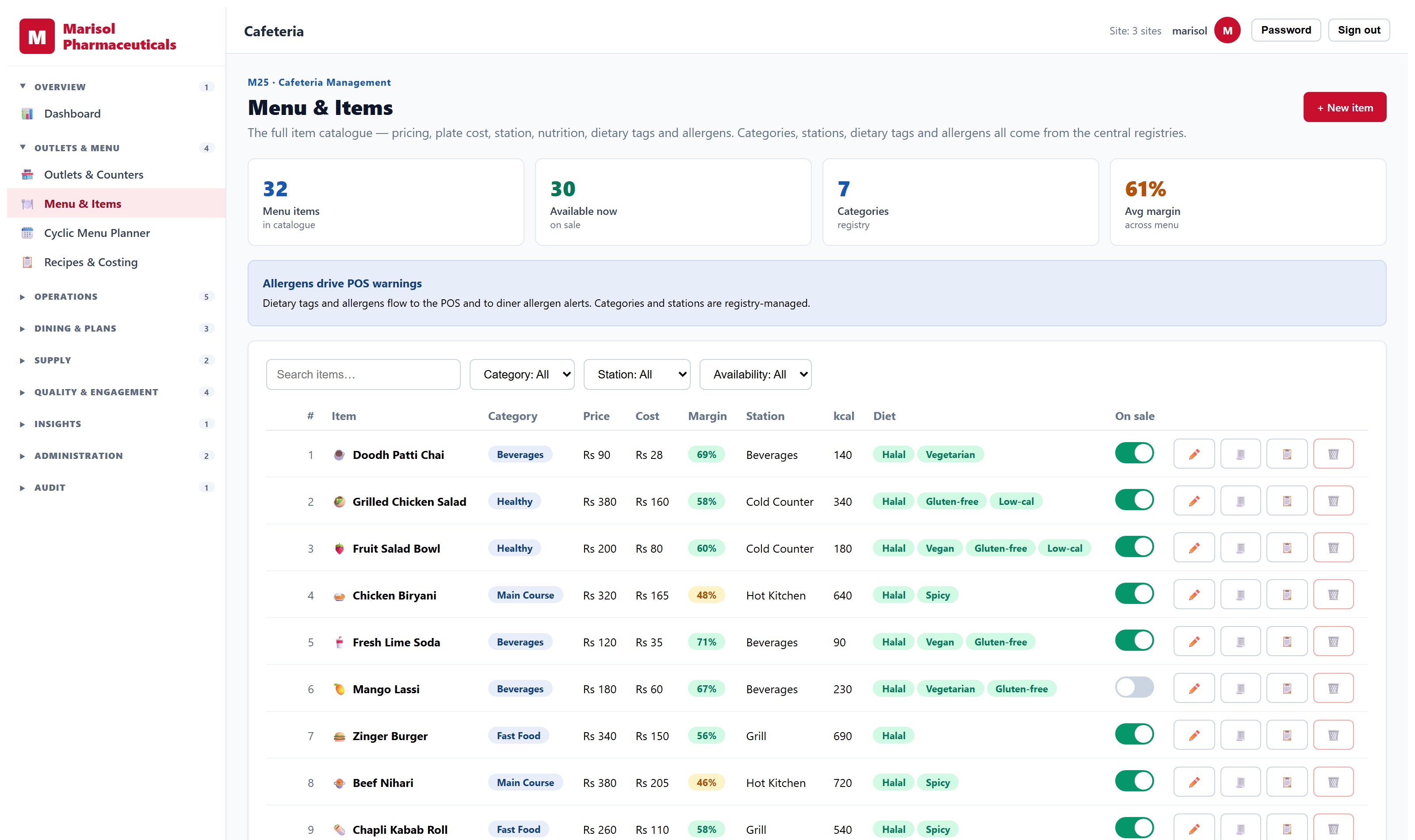
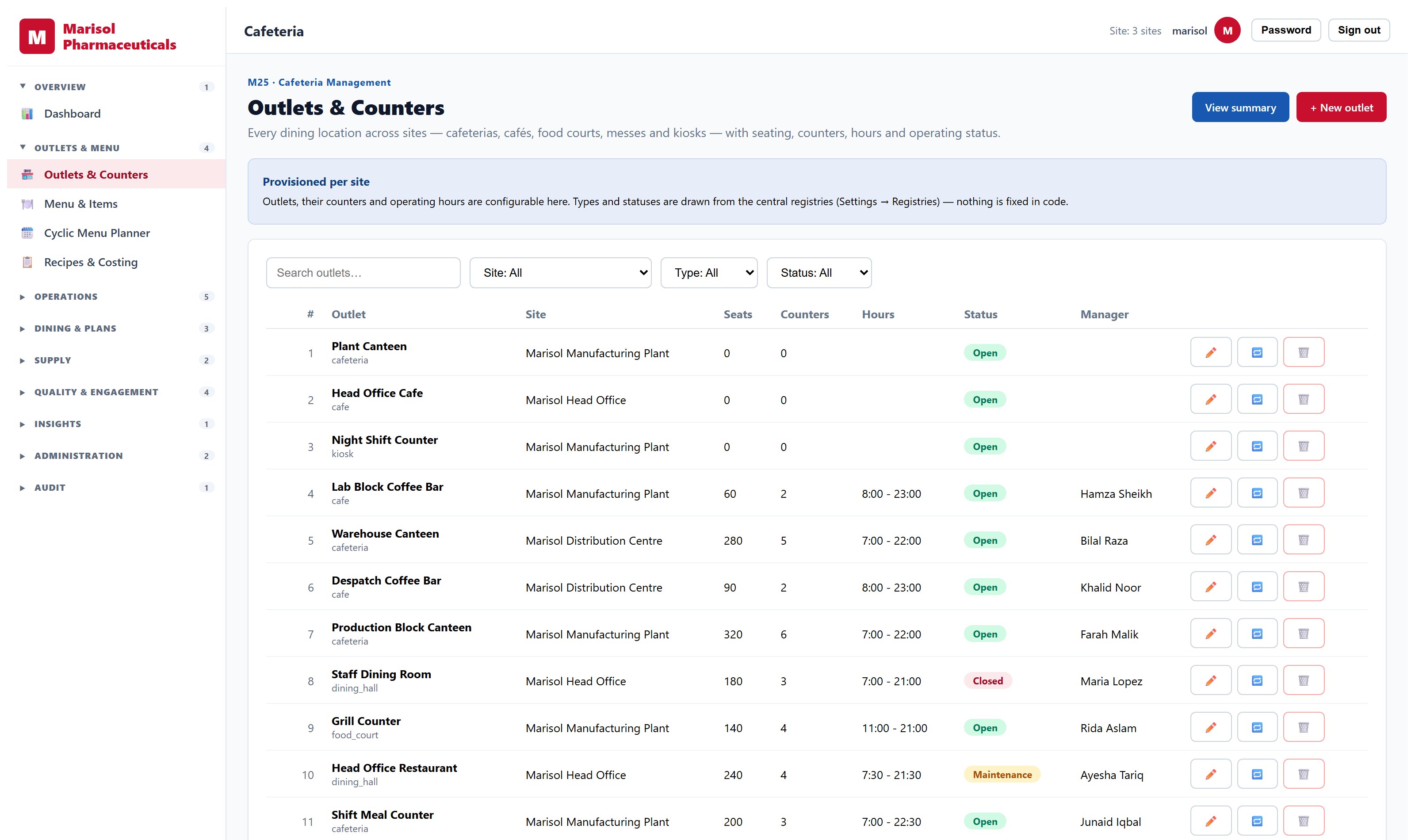
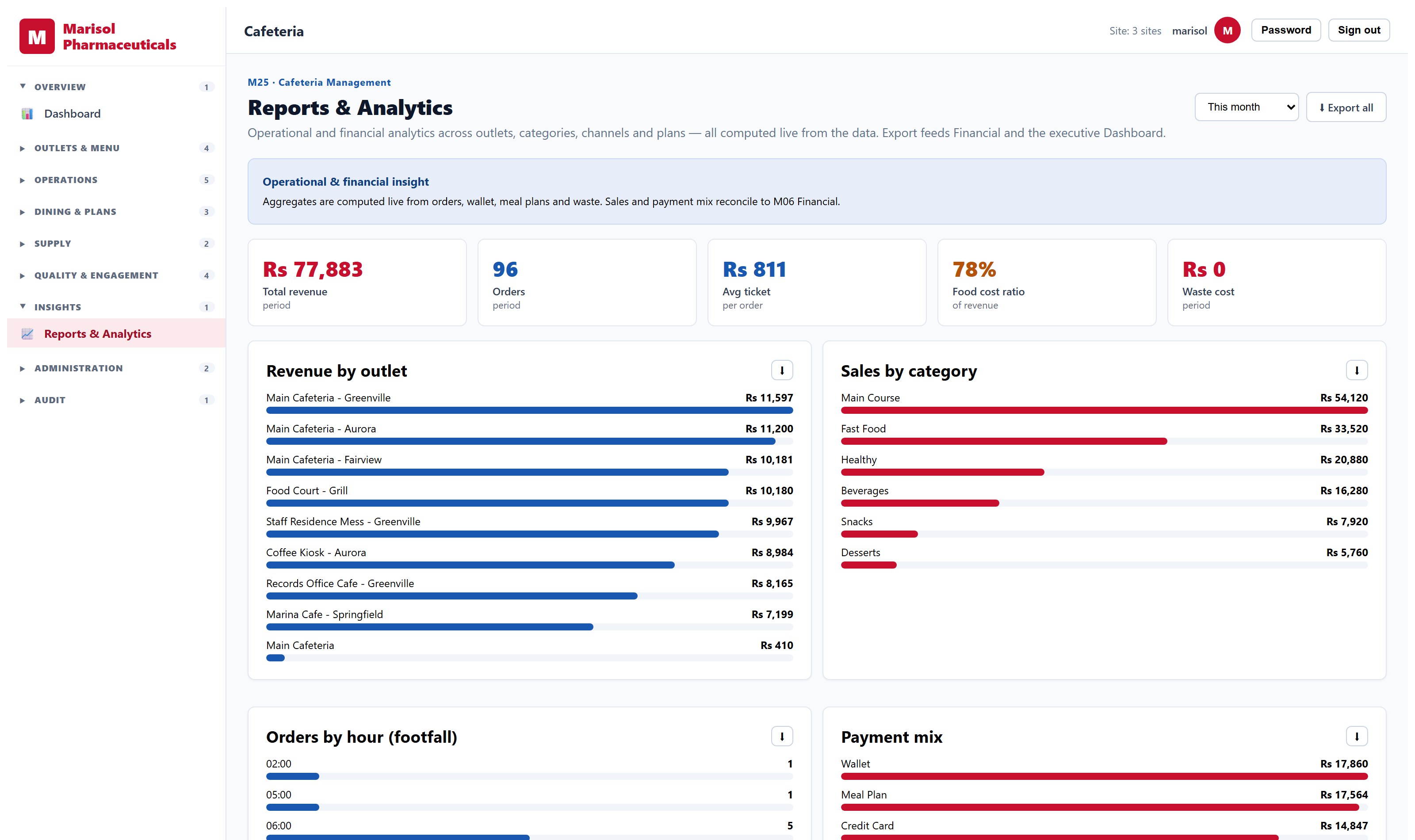
- Multiple outlets with their own menus and opening hours
- Menu and item management with pricing
- Order capture and fulfilment
- Meal plans and prepaid diner accounts
- Stock consumption linked to inventory
- Sales and consumption reporting by outlet and period
What the software decides, and what you decide
Automation here drafts and flags; a person approves. Where something is built you can see it in a demo today. Where it is planned, it says so.
Planned, not yet shipped
Forecasts covers per outlet and session, and proposes prep quantities
On the roadmap- Replaces
- Preparing to last week’s numbers and throwing away the difference
- Who stays accountable
- A proposal the kitchen manager accepts or overrides
Evaluating stock, facilities, fleet and site software
Operational systems fail in the physical world, not the demo. What to check about stock accuracy, work orders, vehicles and who is on site.
Read →Reports you build yourself
The report you need on Tuesday is rarely the one shipped in the box. What a real report builder has to do — and the part vendors get dangerously wrong.
Read →An executive dashboard you can trust
Most executive dashboards are re-keyed summaries that disagree with the systems underneath. Here is what has to be true before a board uses one.
Read →See it on your own data
A demo runs against a working system, not slides. Tell us what you run today and we will show you the part that matters to you.
Request a demo