
Work is tracked in whatever tool each team chose. Nobody can see across them, escalations are missed because nothing enforces a response time, and the weekly operations review is assembled by hand.
Service requests, work allocation and internal support in one place: intake, routing, SLAs, escalation and reporting across teams and sites.
Not a mock-up
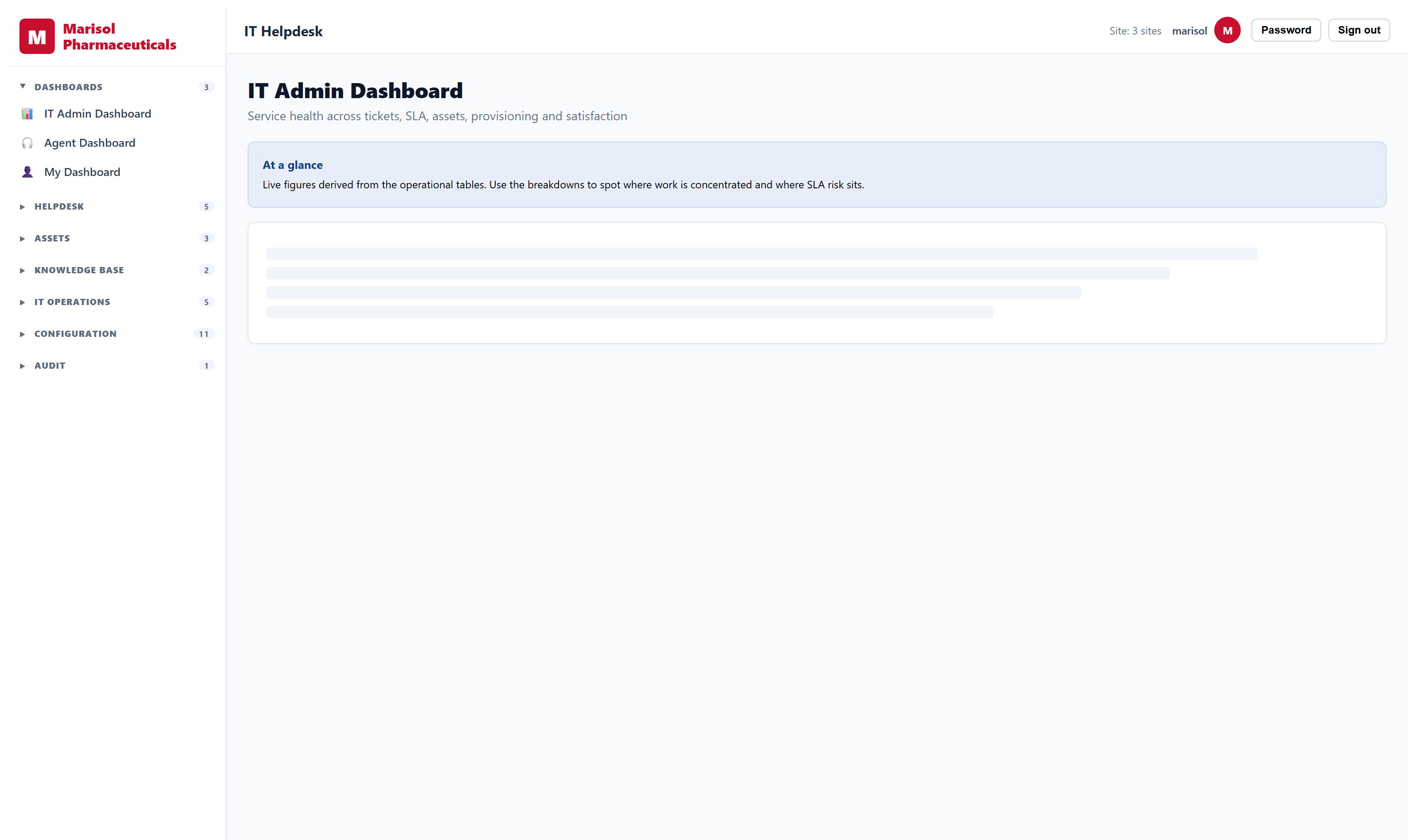
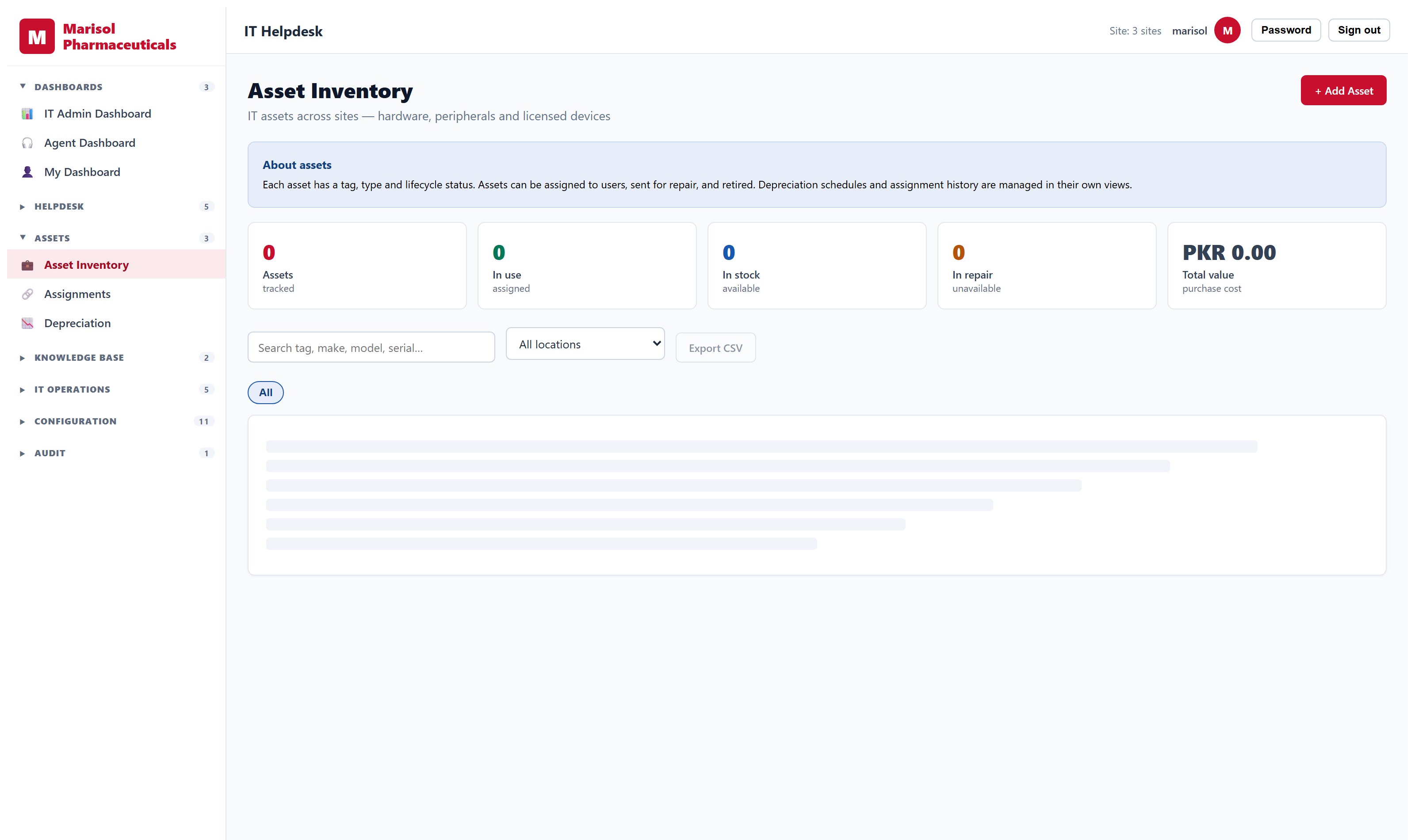
Every screen below is the running product, photographed against a manufacturer’s own data — its sites, its stock, its people. Nothing here is a rendering.
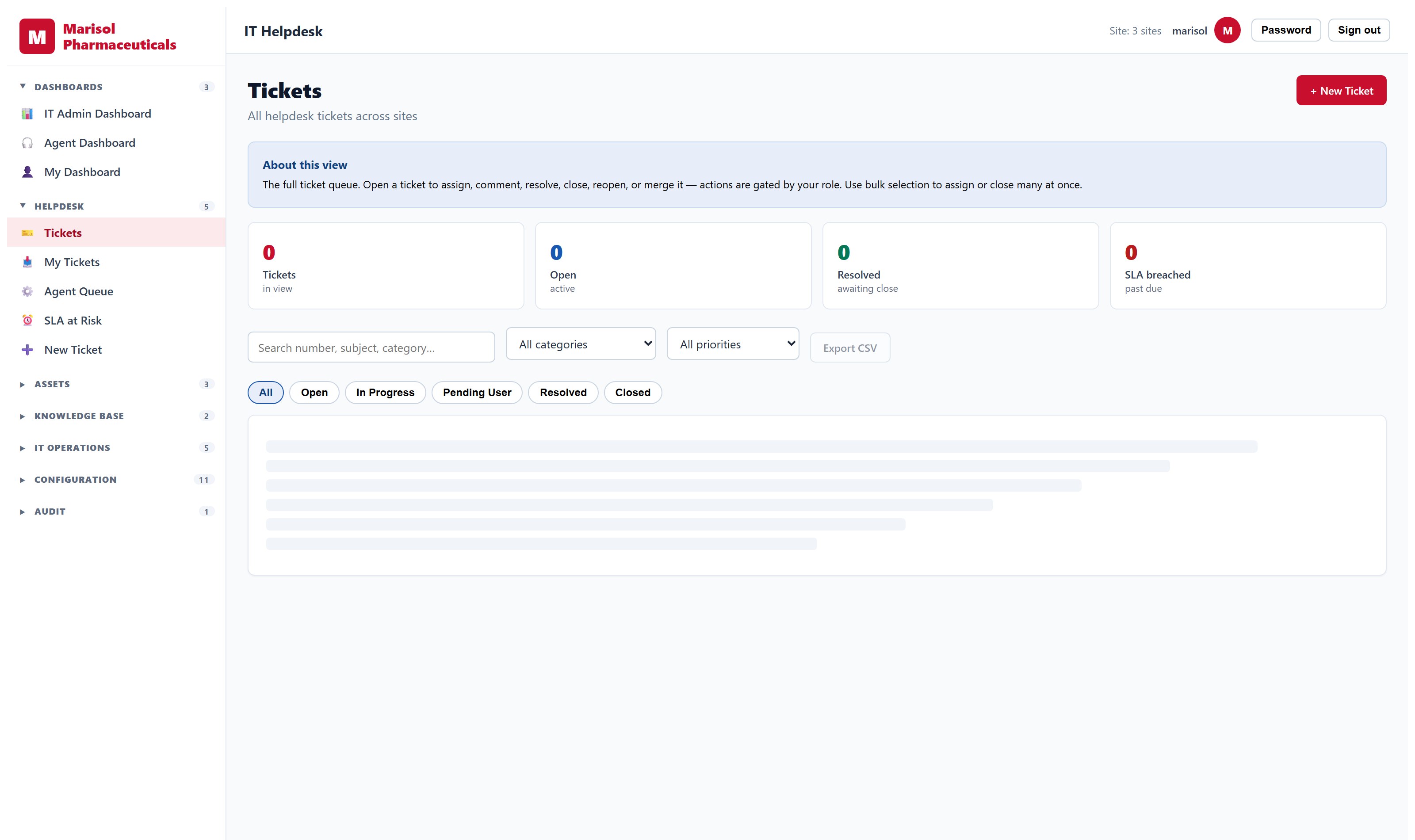
- Request intake with categorisation, priority and routing rules
- Assignment to teams and individuals, with workload visible
- Service-level targets with escalation when a target is at risk
- Approval workflows with per-transition permissions
- Knowledge base for repeat issues
- Operational dashboards by team, site and period
- Full audit trail of who did what and when
What the software decides, and what you decide
Automation here drafts and flags; a person approves. Where something is built you can see it in a demo today. Where it is planned, it says so.
Planned, not yet shipped
Classifies and routes an incoming request from its text
On the roadmap- Replaces
- A coordinator triaging every ticket to find its owner
- Who stays accountable
- Routing is suggested and overridable; the owning team confirms
Answers a repeat question from the knowledge base before it becomes a ticket
On the roadmap- Replaces
- Agents re-answering the same question weekly
- Who stays accountable
- Escalates to a human whenever confidence is low or the asker asks
Evaluating finance, HR and procurement software
A checklist for the systems that run the back office — what to test in the demo, and the questions that separate a ledger from a billing screen.
Read →Reports you build yourself
The report you need on Tuesday is rarely the one shipped in the box. What a real report builder has to do — and the part vendors get dangerously wrong.
Read →An executive dashboard you can trust
Most executive dashboards are re-keyed summaries that disagree with the systems underneath. Here is what has to be true before a board uses one.
Read →See it on your own data
A demo runs against a working system, not slides. Tell us what you run today and we will show you the part that matters to you.
Request a demo